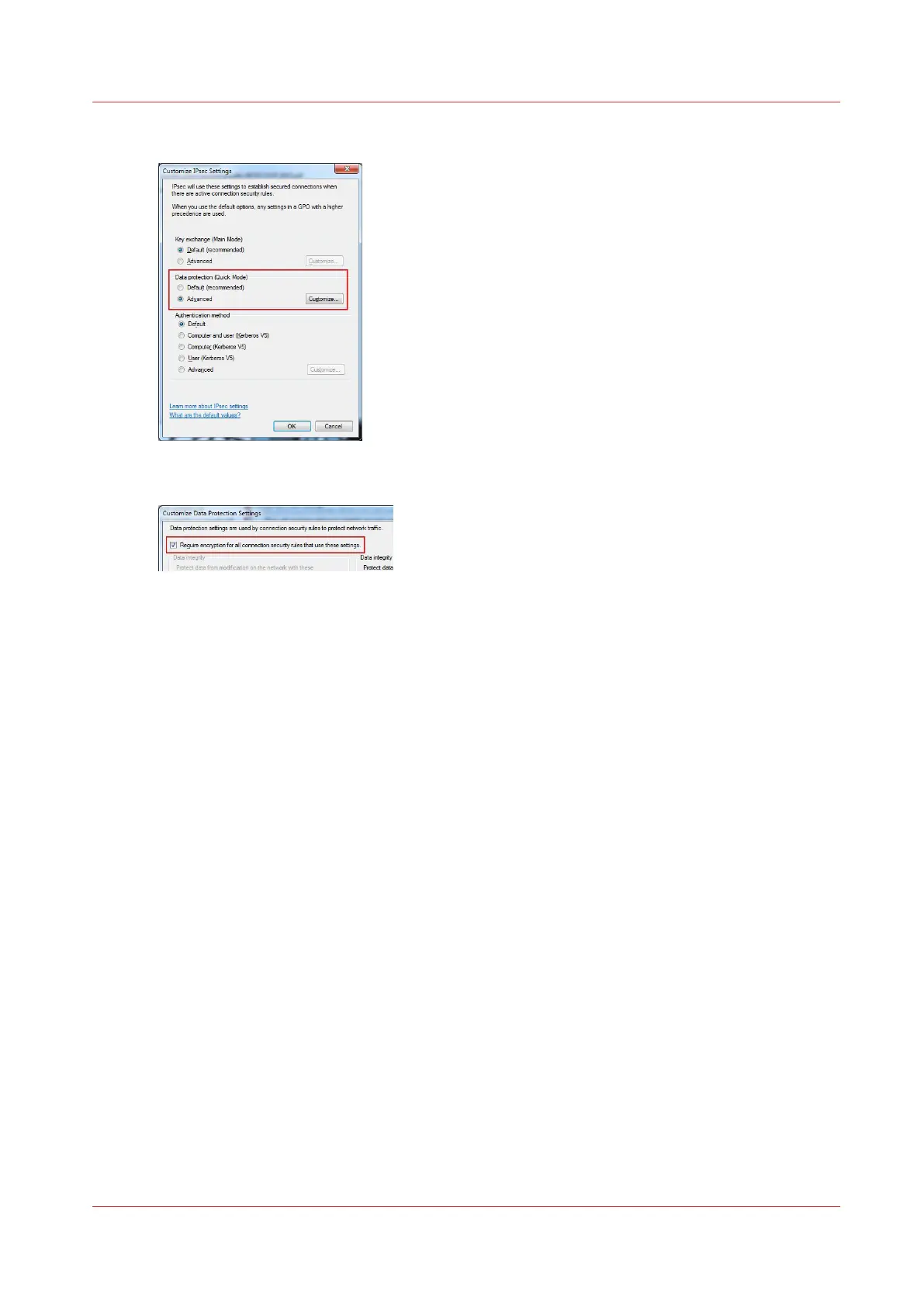
5.
In the 'Data protection (Quick Mode)' select 'Advanced and click on 'Customize...'
6.
Check the 'Require encryption for all connection security rules that use these settings.' box
7.
Click 'OK' on all open windows to validate and close them.
After you finish
For Océ PlotWave 340/345/360/450/500/550, and OcéColorWave 500/550/650/650R3/700
Remove your workstation from the IPsec/Access control configuration when it must not remain in
the list of connected stations.
For all other printers
When the test works properly it is recommended to disable the 'Failsafe mode' on the printer/
scanner controller. So, only the IPsec station is allowed to communicate with the printer/scanner
system.
Customize the IPsec settings
Chapter 3 - Security on Océ PlotWave 500 and PlotWave 340/360
131










 To Next Page