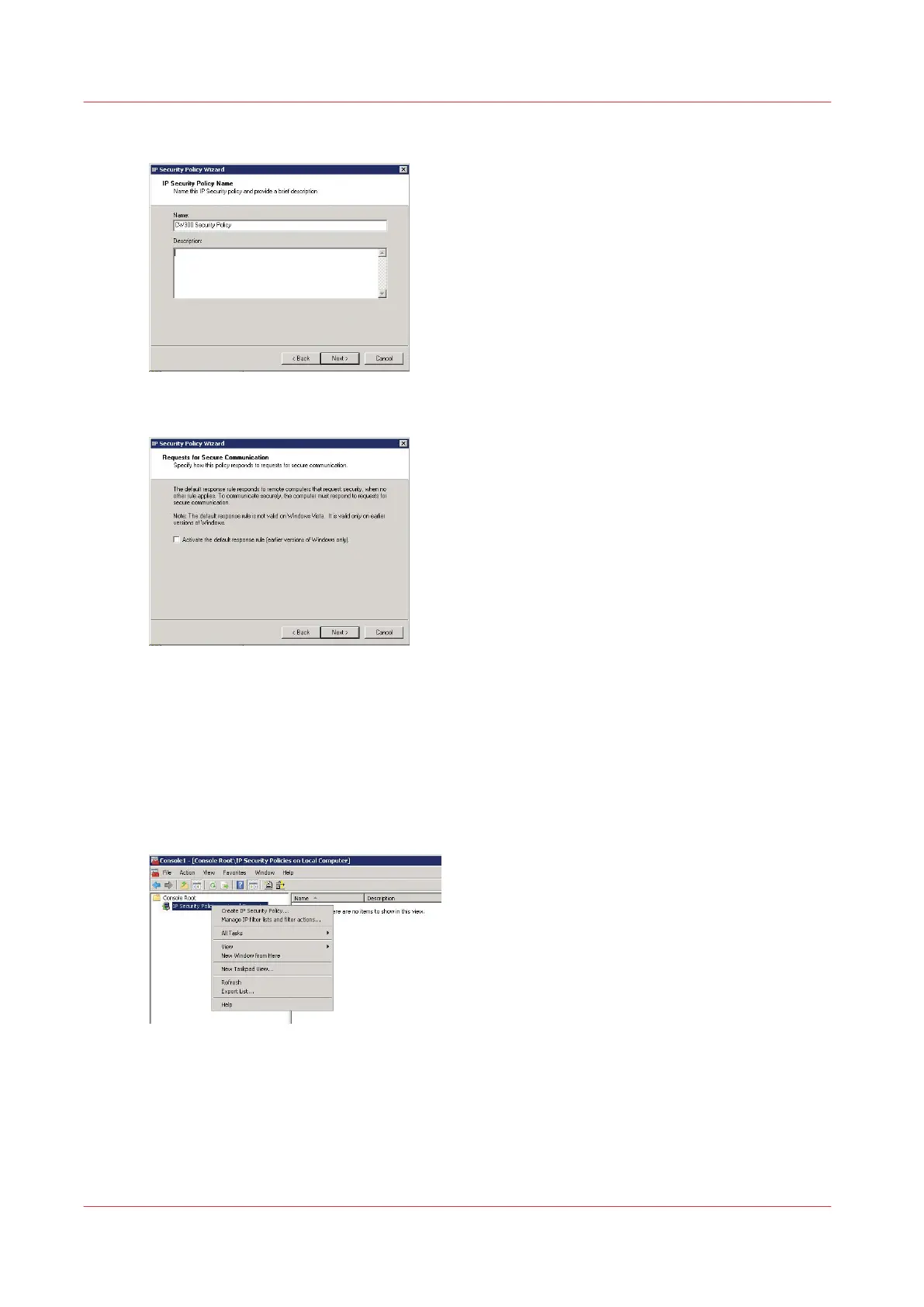
3.
Enter the name for the policy and click 'Next'
4.
Uncheck 'Activate the default response rule'
5.
Uncheck 'Edit properties' and click 'Finish'
Create the filter list
Procedure
1.
In the console, right click on 'IP Security Policies on local Computer' and select 'Manage IP filter
lists and filter actions…'
Create the filter list
210
Chapter 4 - Security on Océ PlotWave 345/365 and Océ PlotWave 450/550










 To Next Page