67
Shooting – Letting the Camera Select Settings
Night Scene Mode
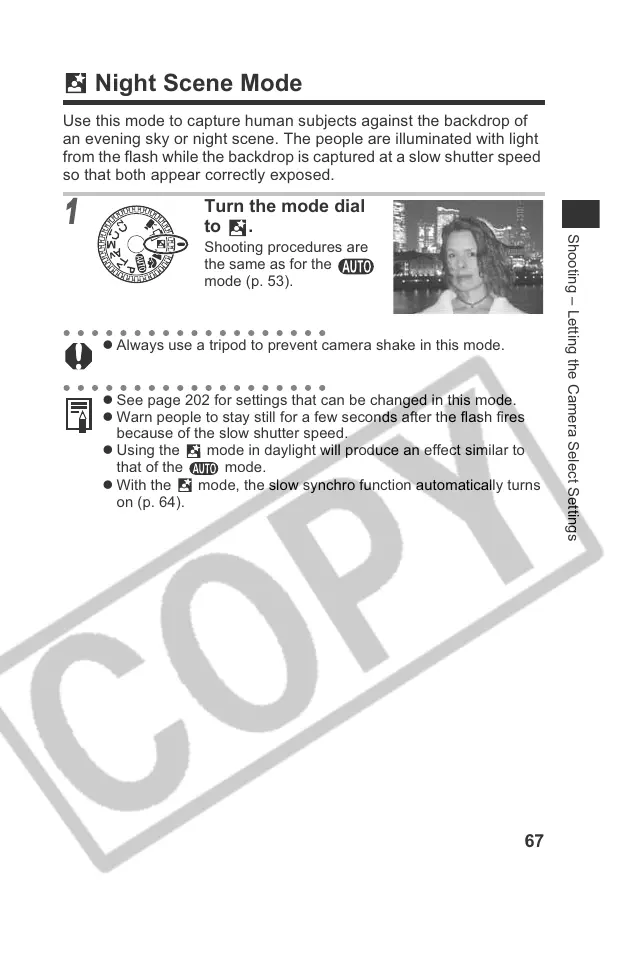
Use this mode to capture human subjects against the backdrop of
an evening sky or night scene. The people are illuminated with light
from the flash while the backdrop is captured at a slow shutter speed
so that both appear correctly exposed.
1
Turn the mode dial
to .
Shooting procedures are
the same as for the
mode (p. 53).
z Always use a tripod to prevent camera shake in this mode.
z See page 202 for settings that can be changed in this mode.
z Warn people to stay still for a few seconds after the flash fires
because of the slow shutter speed.
z Using the mode in daylight will produce an effect similar to
that of the mode.
z With the mode, the slow synchro function automatically turns
on (p. 64).











 To Next Page