CHAPTER 2 STANDARDS AND ADJUSTMENTS
2-13
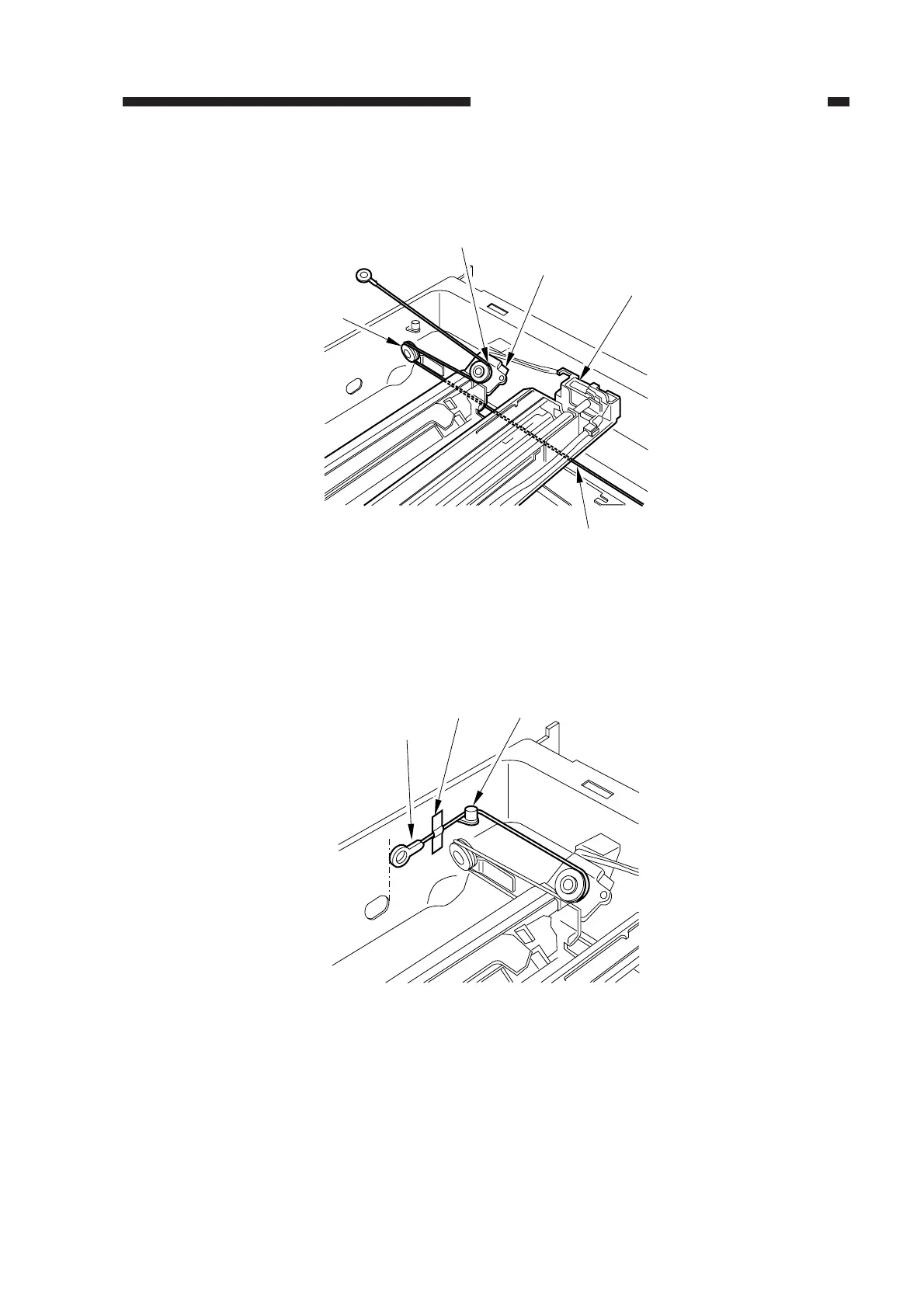
4) Lead the shorter end [6] under the No. 1 mirror mount [8] and the No. 2/3 mirror mount [9]; then,
hook it on the left rear pulley [10] and the pulley [11] of the No. 2/3 mirror mount.
Figure 2-22
5) After fitting the shorter end [6] on the cable hook [12], secure its end with adhesive tape [13].
Be sure that the secured end of the cable is found where the hole in the left side plate and the tip
of the cable matches.
Figure 2-23
[10]
[11]
[6]
[8]
[9]
[6]
[12][13]



 To Next Page