CHAPTER 2 STANDARDS AND ADJUSTMENTS
2-40
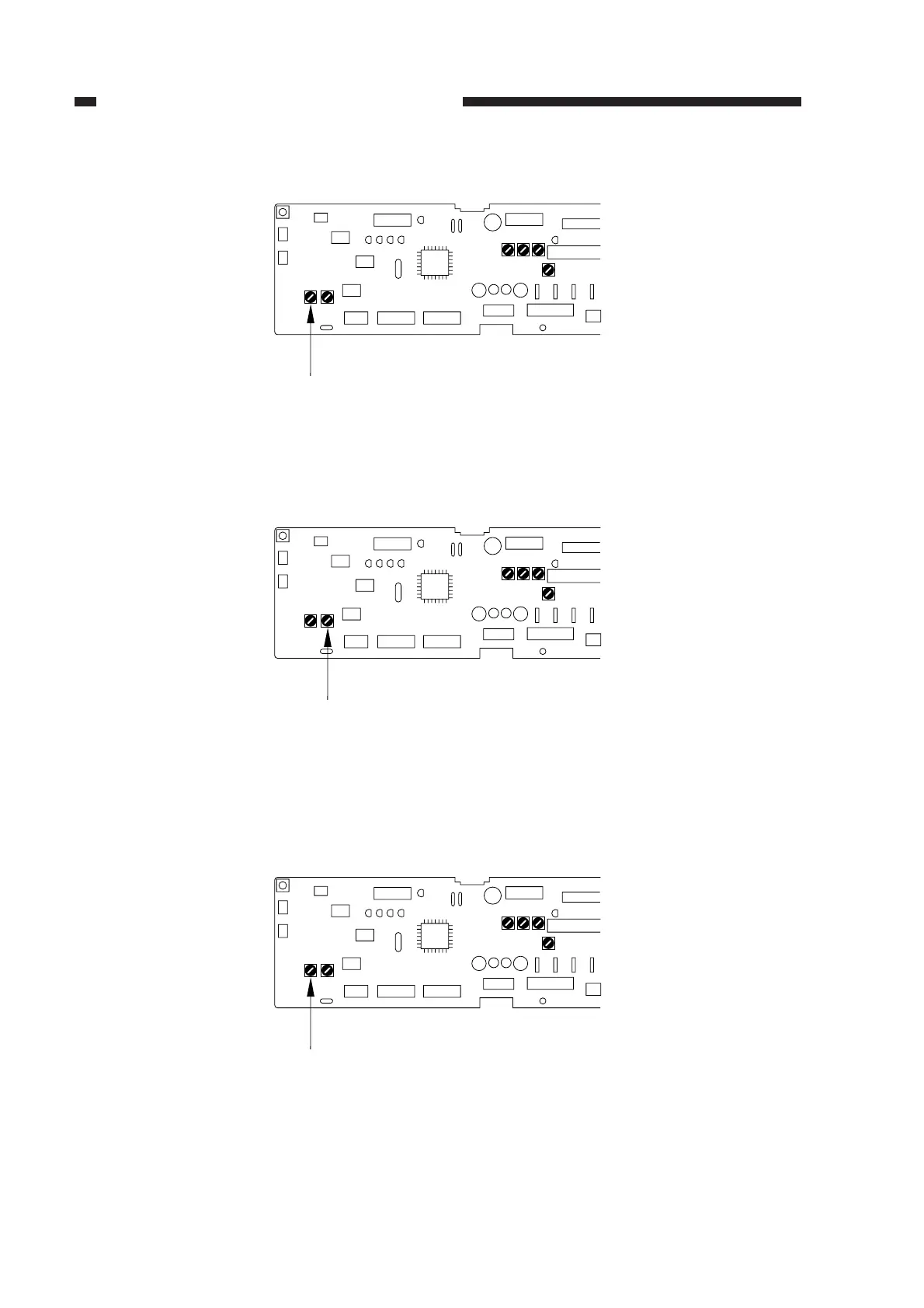
4) Turn VR103 on the DC controller PCB fully clockwise.
Figure 2-66
5) Place a newspaper on the copyboard, and close the copyboard cover.
6) Turn VR102 so that the display indicates ‘A3’ to ‘Ad’.
Figure 2-67
7) Remove the newspaper from the copyboard, and place five sheets of copy paper in its place;
then, close the copyboard cover.
8) Turn VR103 on the DC controller PCB so that the display will indicate ‘52’ to ‘5c’.
Figure 2-68
VR103
J102
J101
J107
J101J131
VR103VR102
J103
J130
J114
J104
J105
J109
J106
J102
VR104VR105
VR106
VR107
VR102
J102
J101
J107
J101J131
VR103VR102
J103
J130
J114
J104
J105
J109
J106
J102
VR104VR105VR106
VR107
VR103
J102
J101
J107
J101J131
VR103VR102
J103
J130
J114
J104
J105
J109
J106
J102
VR104VR105
VR106
VR107



 To Next Page