Table of
Contents
Chapter 1
What is
ImageBrowser?
Chapter 2
Downloading and
Printing Images
Chapter 3
What You Can Do with
a Camera Connected
Chapter 4
Viewing Images
Chapter 5
Organizing Images
Chapter 6
Using Supplementary
Features
Appendices Index
ImageBrowser Software User Guide 45
Back Next
Operating the Camera Shutter from a Computer ( 4 / 4)
Remote Shooting Default Settings
You can display the default settings for remote shooting by
clicking the [RemoteCapture Task] menu and selecting
[Preferences].
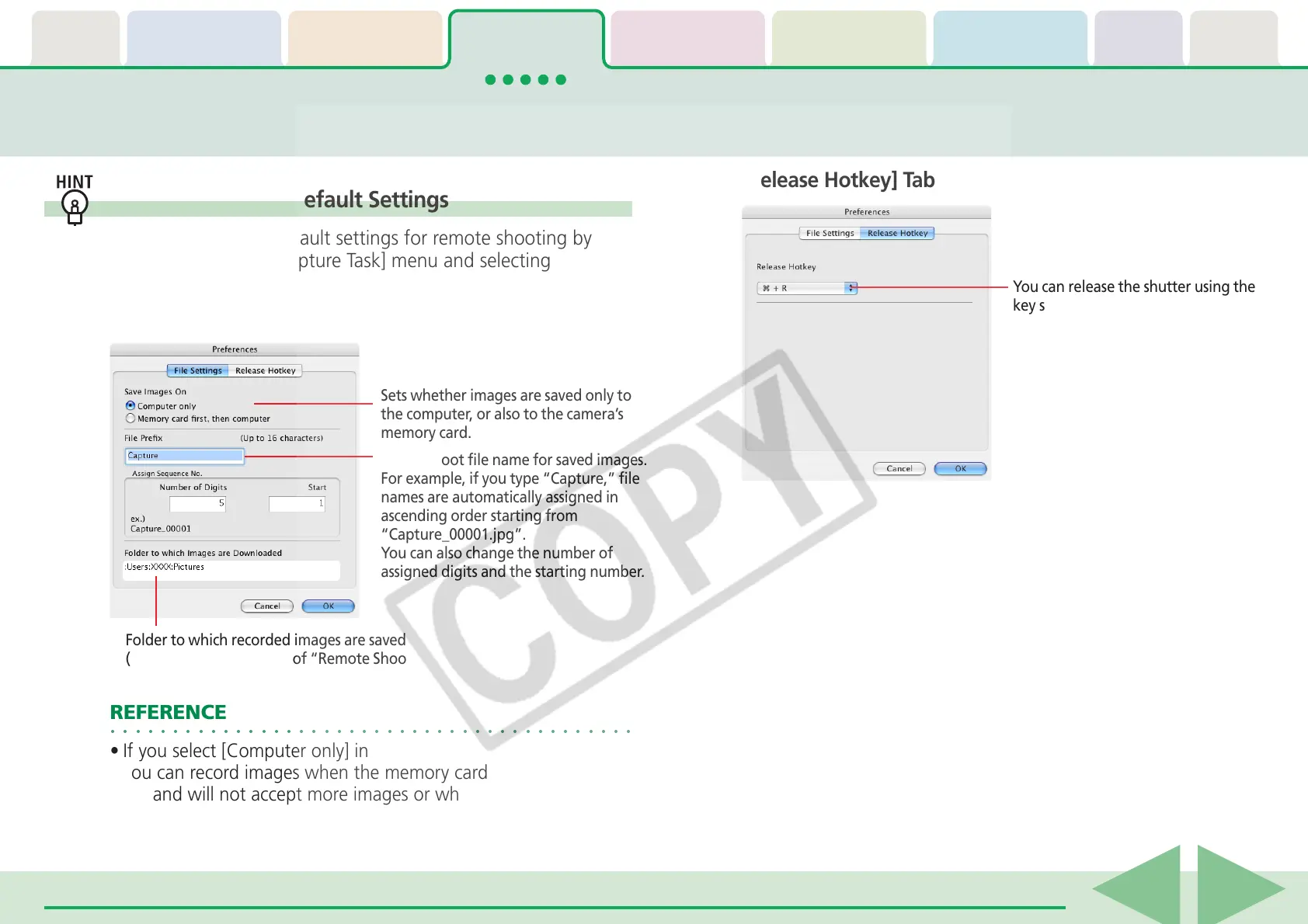
■ [File Settings] Tab
○○○○○○○○○○○○○○○○○○○○○○○○○○○○○○○○○○○○○○○○○○
REFERENCE
• If you select [Computer only] in the [Save Images On] category,
you can record images when the memory card in the camera is
full and will not accept more images or when it is not present.
■ [Release Hotkey] Tab
Sets whether images are saved only to
the computer, or also to the camera’s
memory card.
Folder to which recorded images are saved
(Folder selected in Step 3 of “Remote Shooting Procedures.”)
Sets the root file name for saved images.
For example, if you type “Capture,” file
names are automatically assigned in
ascending order starting from
“Capture_00001.jpg”.
You can also change the number of
assigned digits and the starting number.
You can release the shutter using the
key specified here.











 To Next Page