Table of
Contents
Chapter 1
What is
ImageBrowser?
Chapter 2
Downloading and
Printing Images
Chapter 3
What You Can Do with
a Camera Connected
Chapter 4
Viewing Images
Chapter 5
Organizing Images
Chapter 6
Using Supplementary
Features
Appendices Index
ImageBrowser Software User Guide 14
Back Next
4.
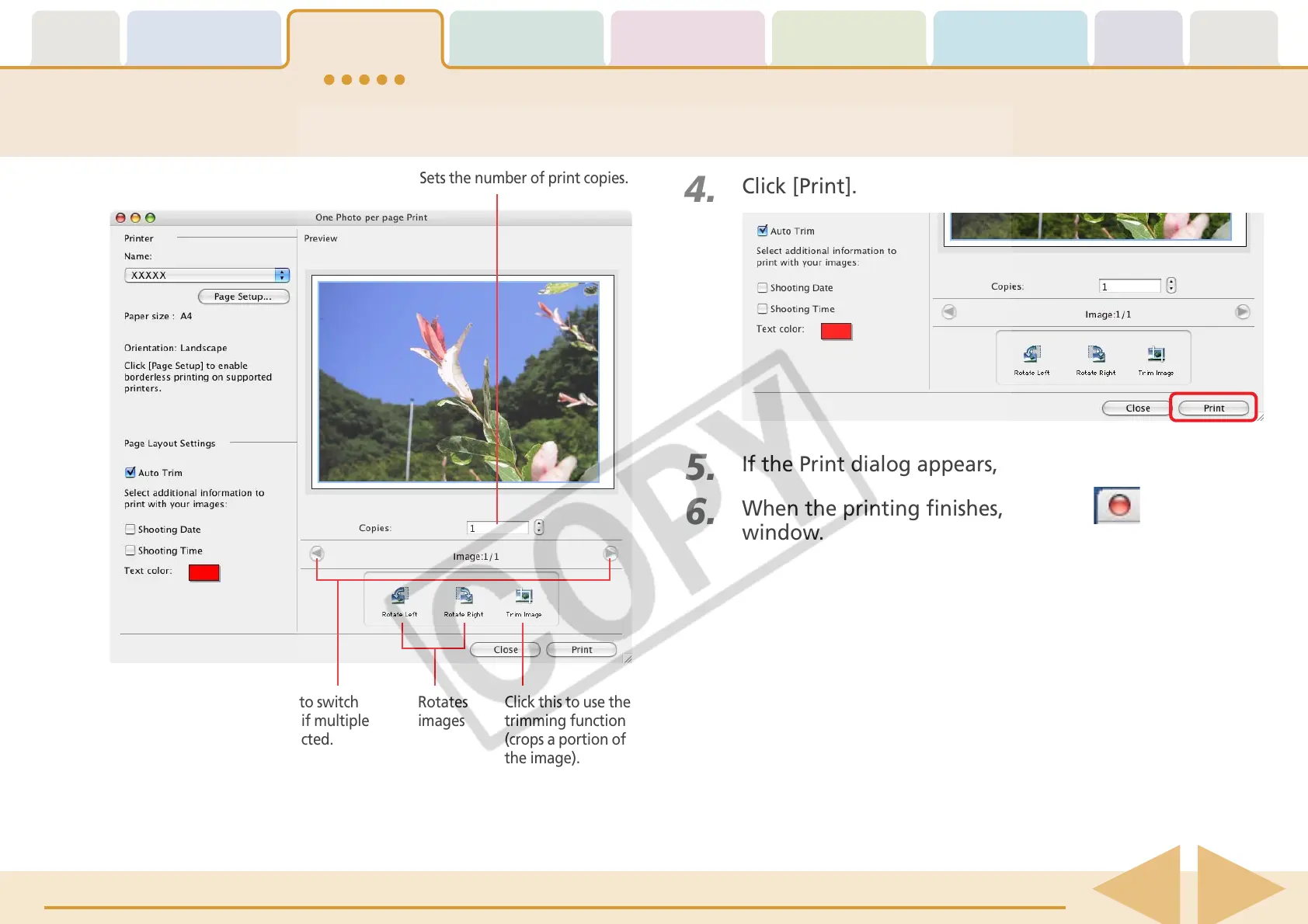
Click [Print].
Printing a Single Image on a Single Page (2/2)
Sets the number of print copies.
Click this button to switch
between images if multiple
images were selected.
Rotates
images
Click this to use the
trimming function
(crops a portion of
the image).
5.
If the Print dialog appears, click [Print].
6.
When the printing finishes, click the to close the
window.











 To Next Page