Table of
Contents
Chapter 1
What is
ImageBrowser?
Chapter 2
Downloading and
Printing Images
Chapter 3
What You Can Do with
a Camera Connected
Chapter 4
Viewing Images
Chapter 5
Organizing Images
Chapter 6
Using Supplementary
Features
Appendices Index
ImageBrowser Software User Guide 85
Back Next
Editing Images (9/10)
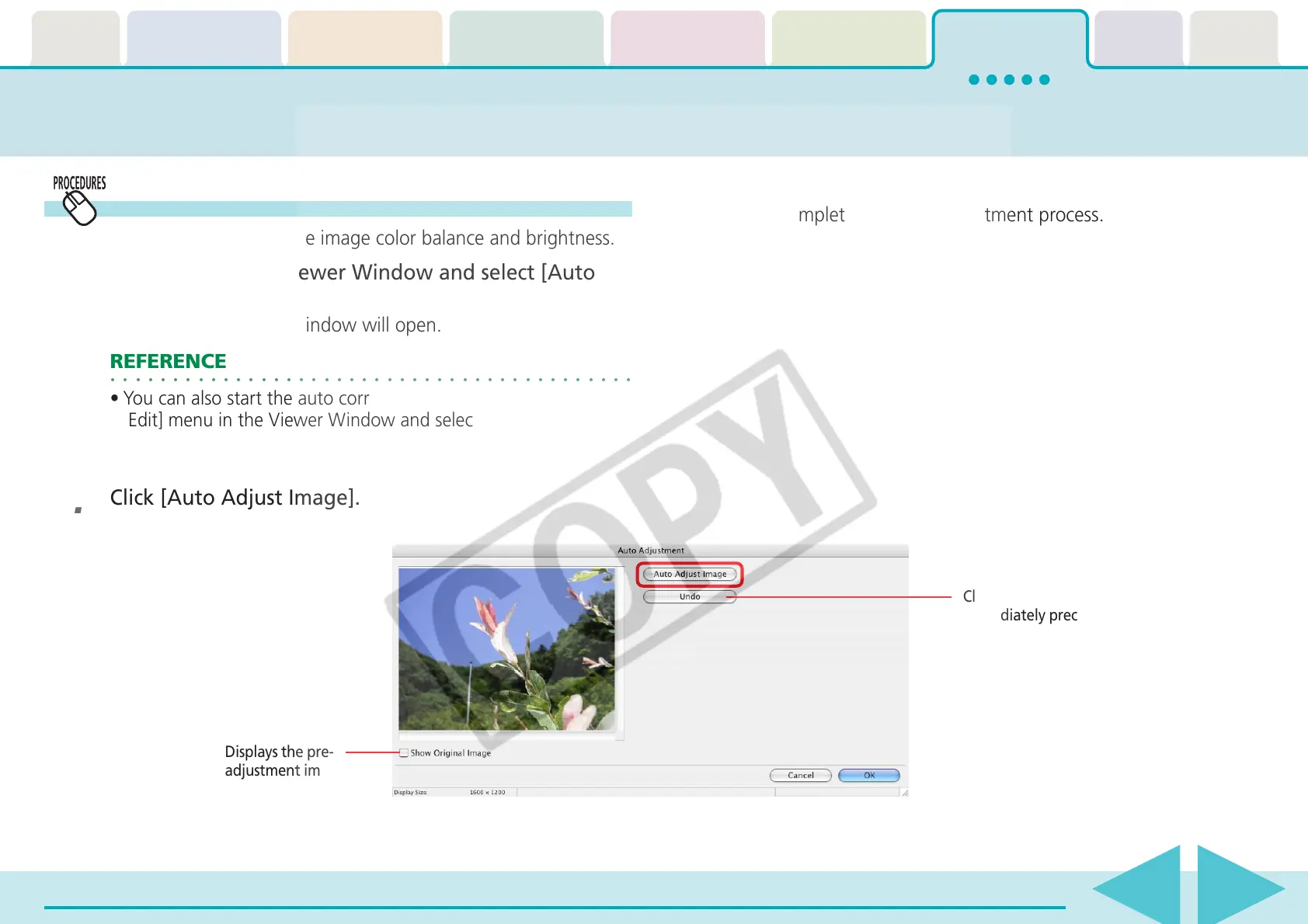
Auto Adjustment
Automatically adjusts the image color balance and brightness.
1.
Click [Edit] in the Viewer Window and select [Auto
Adjustment].
The Auto Adjustment window will open.
○○○○○○○○○○○○○○○○○○○○○○○○○○○○○○○○○○○○○○○○○○
REFERENCE
•You can also start the auto correction procedure by clicking the
[Edit] menu in the Viewer Window and selecting [Auto
Adjustment].
2.
Click [Auto Adjust Image].
Click [Undo] to cancel the action
immediately preceding.
3.
Click [OK].
This completes the auto adjustment process.
Displays the pre-
adjustment image.











 To Next Page