Table of
Contents
Chapter 1
What is
ImageBrowser?
Chapter 2
Downloading and
Printing Images
Chapter 3
What You Can Do with
a Camera Connected
Chapter 4
Viewing Images
Chapter 5
Organizing Images
Chapter 6
Using Supplementary
Features
Appendices Index
ImageBrowser Software User Guide 96
Back Next
You can add sounds to your images and play them later.
Adding Sounds to Images (1/2)
4.
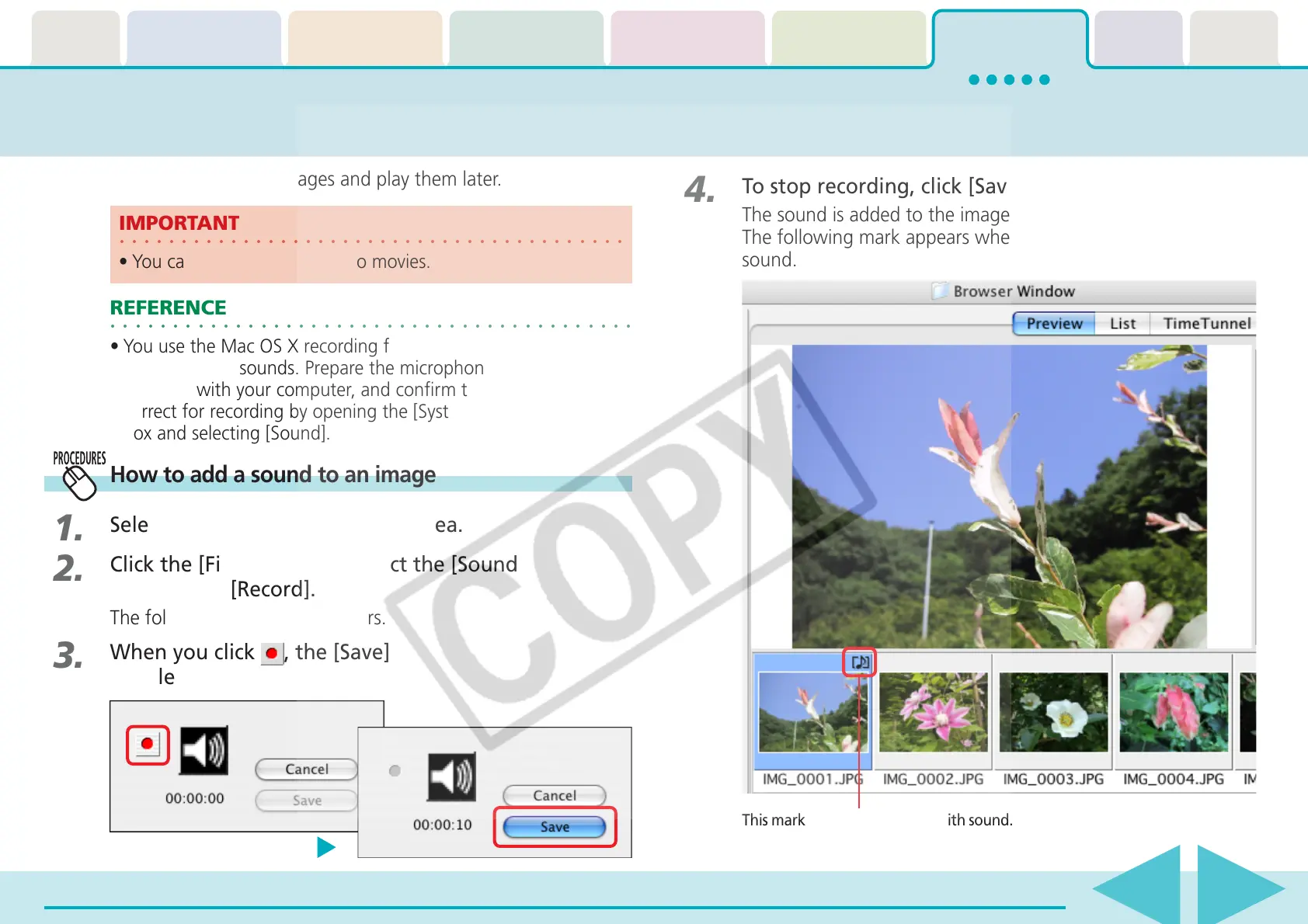
To stop recording, click [Save].
The sound is added to the image.
The following mark appears when an image is accompanied by
sound.
○○○○○○○○○○○○○○○○○○○○○○○○○○○○○○○○○○○○○○○○○○
REFERENCE
•You use the Mac OS X recording function to record
ImageBrowser sounds. Prepare the microphone if one is
provided with your computer, and confirm that the settings are
correct for recording by opening the [System Preferences] dialog
box and selecting [Sound].
○○○○○○○○○○○○○○○○○○○○○○○○○○○○○○○○○○○○○○○○○
IMPORTANT
•You cannot add sound files to movies.
How to add a sound to an image
1.
Select an image in the Browser Area.
2.
Click the [File] menu and select the [Sound] submenu,
followed by [Record].
The following dialog box appears.
3.
When you click , the [Save] button becomes
enabled and recording starts.
This mark indicates an image with sound.











 To Next Page