53 ImageBrowser Software User Guide
Chapter 4
Viewing Images
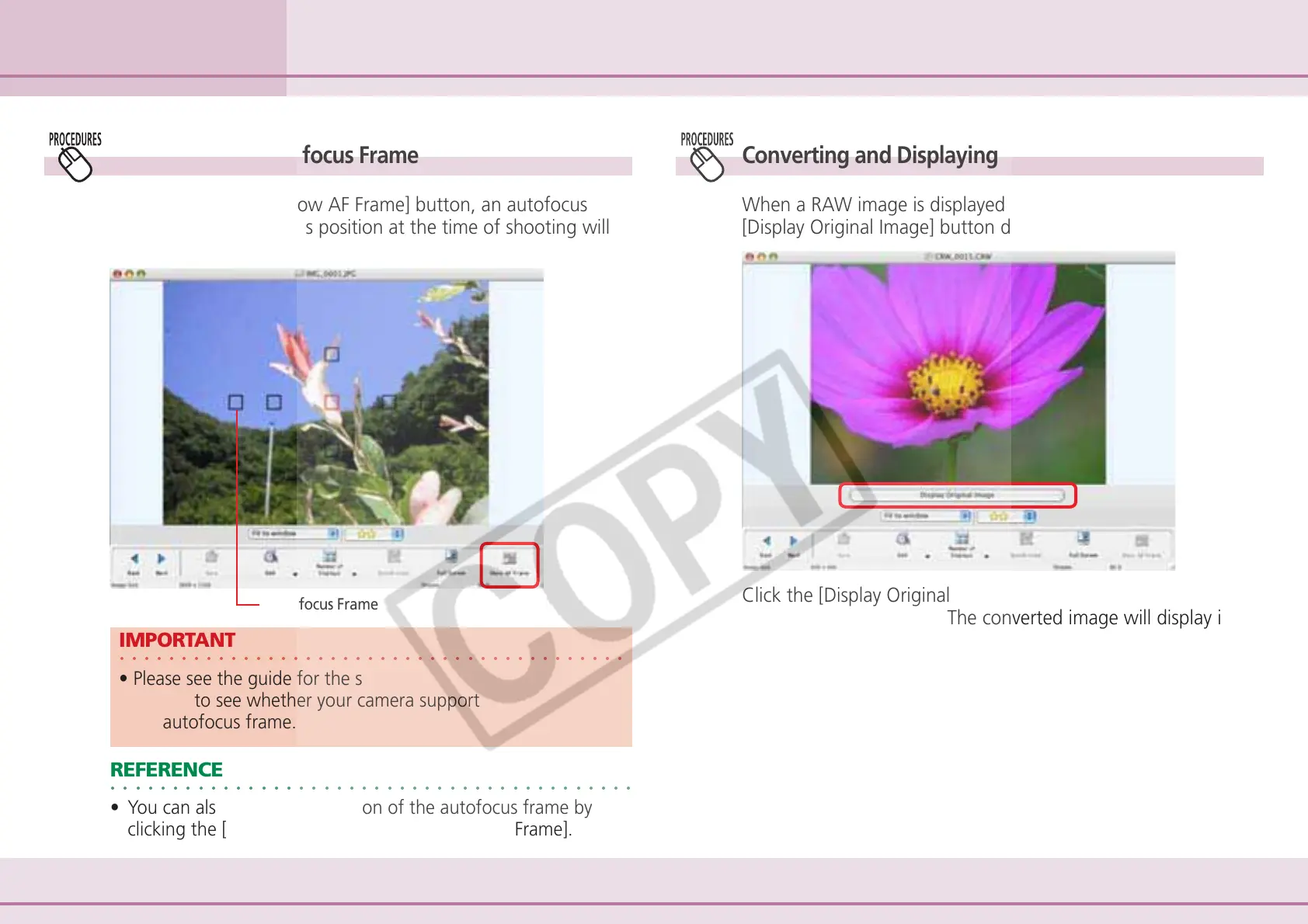
Converting and Displaying RAW Images
When a RAW image is displayed in the Viewer Window, the
[Display Original Image] button displays beneath the image.
Using the Viewer Window (3/4)
Displaying the Autofocus Frame
When you click the [Show AF Frame] button, an autofocus
frame showing the focus position at the time of shooting will
appear.
Autofocus Frame
○○○○○○○○○○○○○○○○○○○○○○○○○○○○○○○○○○○○○○○○○
IMPORTANT
• Please see the guide for the software bundled with your
camera to see whether your camera supports the display of
the autofocus frame.
○○○○○○○○○○○○○○○○○○○○○○○○○○○○○○○○○○○○○○○○○○
REFERENCE
• You can also display the position of the autofocus frame by
clicking the [View] menu and selecting [Show AF Frame].
Click the [Display Original Image] button and [Yes] in the
confirmation dialog box. The converted image will display in
the Viewer Window.












 To Next Page