Canon ScanFront 220/220P System Software Update
Instructions
ScanFront Version Up Procedure Version 1.0 Page
9
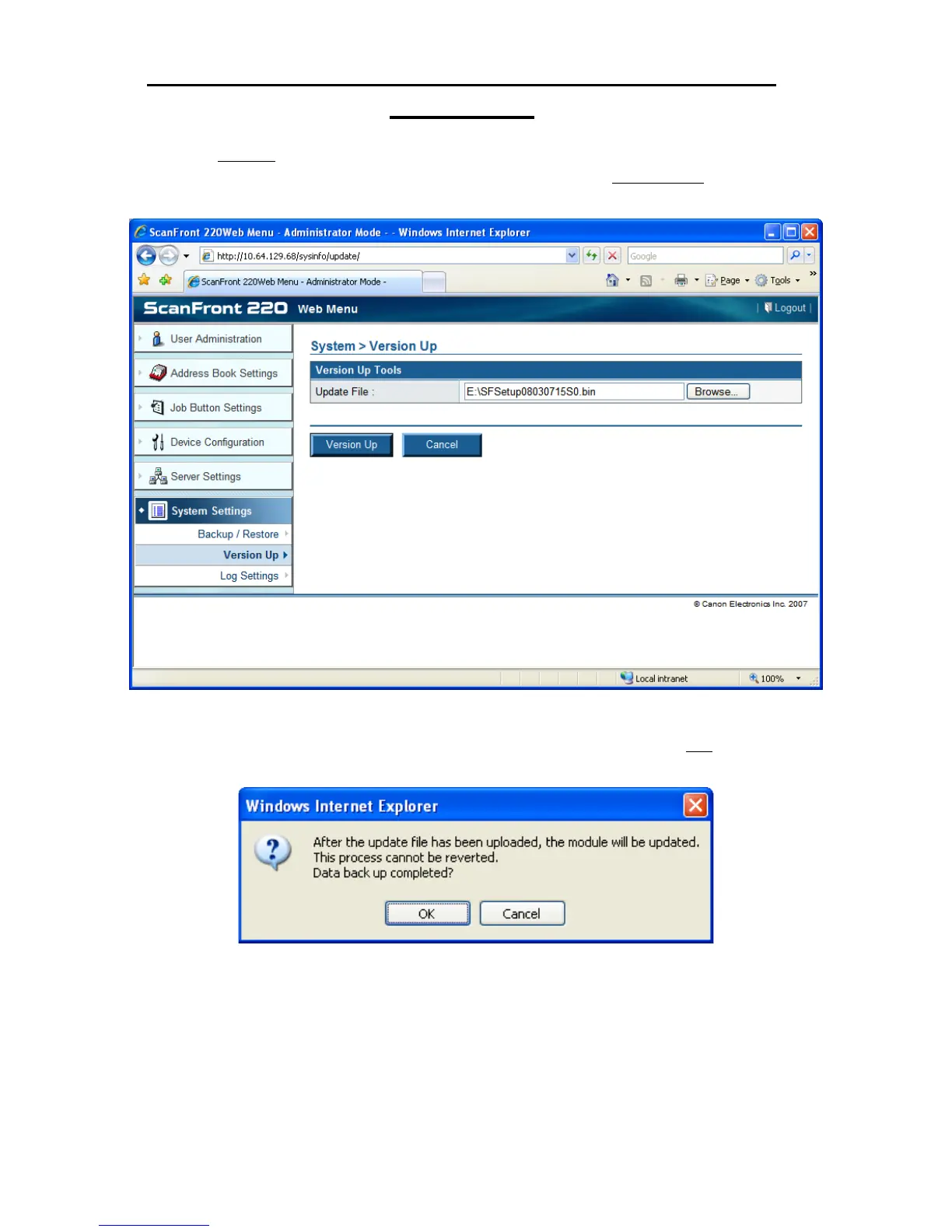
4. Click the Browse button to navigate to the downloaded ScanFront system upgrade .bin file.
Once the update file path location is selected, click on the Version Up button to start
transferring the file to the ScanFront;
5. You will be prompted with a dialog box warning that once the file has been uploaded the
ScanFront will be updated and the process cannot be reverted. Click the OK button to start
the update process;







 To Next Page