26
Cover
Contents
Part Names
Basic Operations
Printing via USB
Cable
Troubleshooting
Appendix
Printing via Wi-Fi
Print Settings
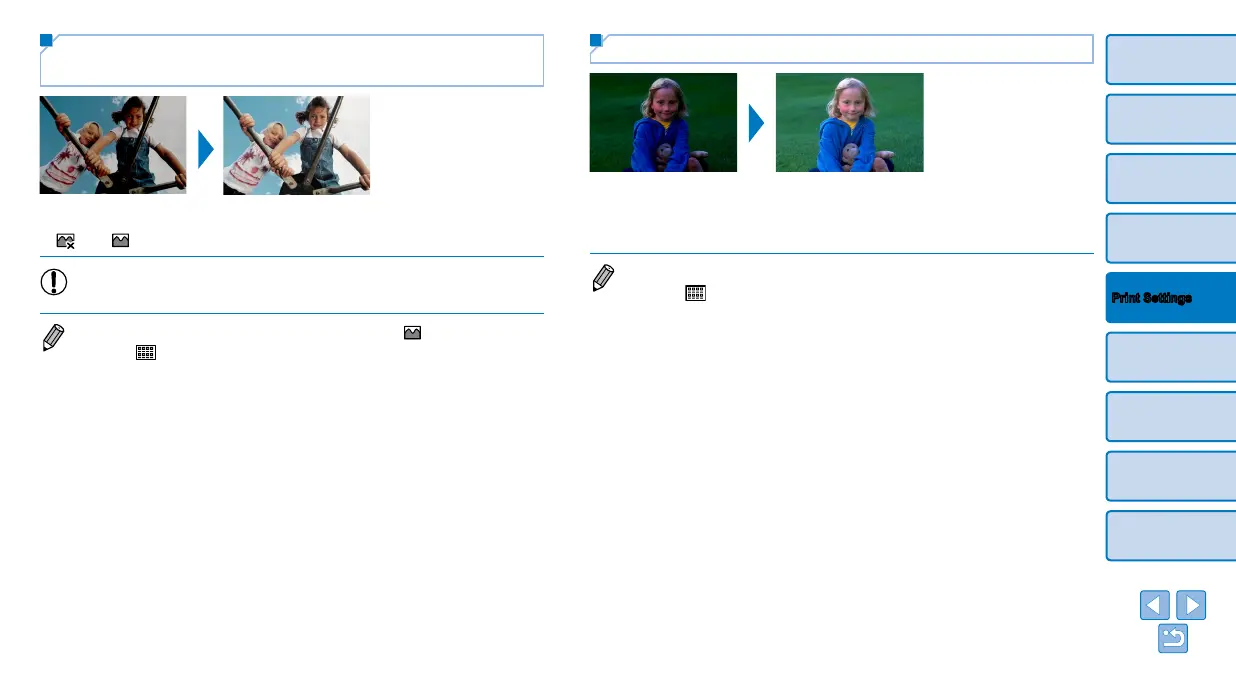
Optimal Prints with Auto Correction
(Image Optimize)
Automatically correct images, for optimal quality.
Off / On (default)
• Some images may not be adjusted correctly.
• Turning off SELPHY will restore the default setting of [ On].
• When [
Index] is selected in [Page Layout] (=
25), [Image Optimize] is
not applied.
• The degree of correction may vary depending on layout and paper size.
Adjusting the Brightness
Adjust image brightness in a range of –3 to +3.
Choose larger positive values to make images brighter, or larger negative
values to make them darker.
• Turning off SELPHY will restore the default setting of [±0].
• When [
Index] is selected in [Page Layout] (=
25), settings in
[Brightness] are not applied.









 To Next Page