40
Cover
Contents
Part Names
Basic Operations
Print Settings
Printing via USB
Cable
Troubleshooting
Appendix
Printing via Wi-Fi
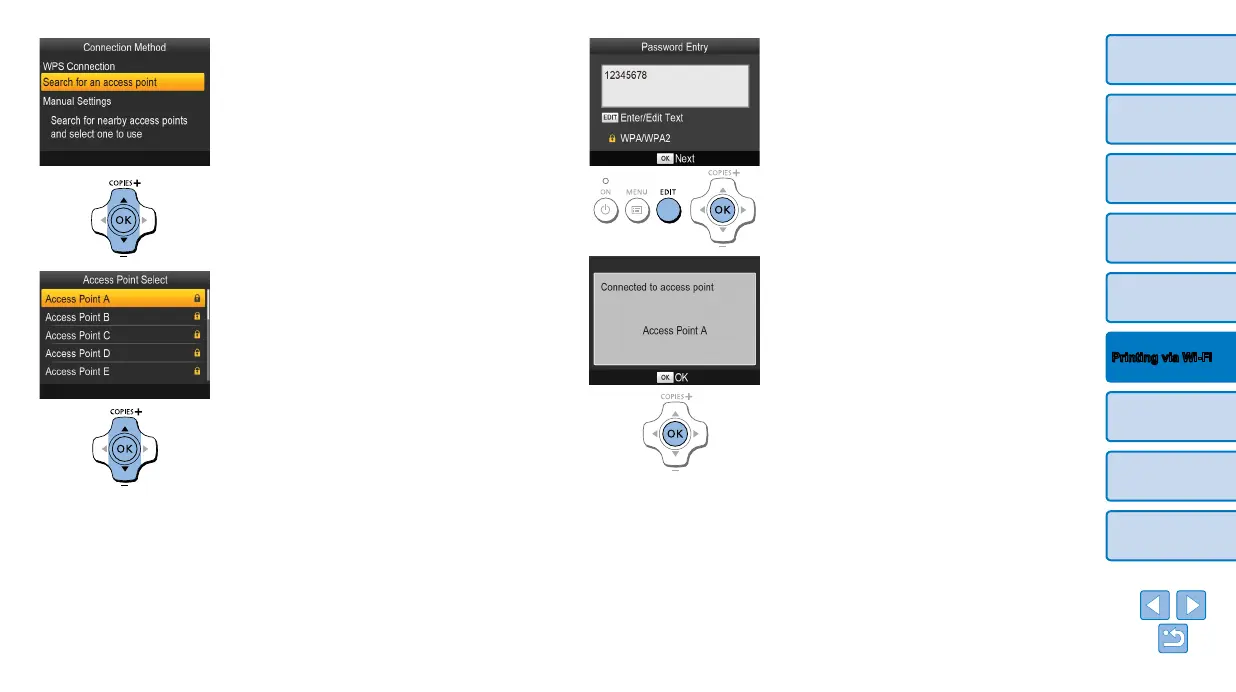
6 Choose the access point
connection method.
Press the <u><d> buttons to select
[Search for an access point], and then
press the <o> button.
Access points found nearby are listed.
7 Choose the access point.
Press the <u><d> buttons to select the
access point, and then press the <o>
button.
8 Enter the password.
Press the EDIT button to access the input
screen, and then enter the password
(=
45).
Press the <o> button.
9 Check the access point.
Once the printer is connected to the
access point, the screen at left is
displayed. Check the indicated access
point name and press the <o> button.














 To Next Page