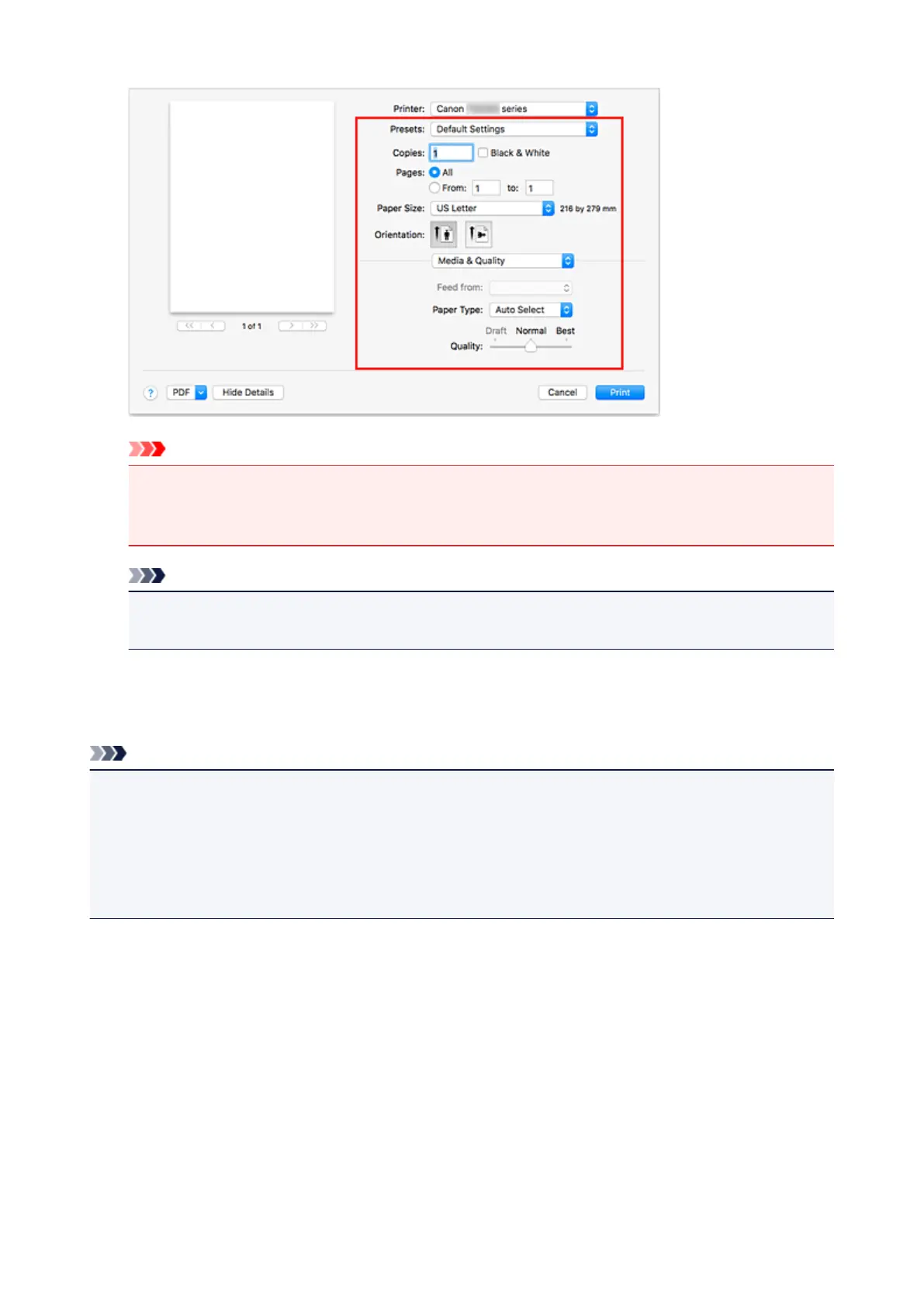
Important
•
An error may occur if the paper size/type set in the print dialog is different from the paper size/type
set on the printer. Select the correct items on the print dialog and the printer that correspond to
the paper being printed.
Note
• Use the Print dialog to set general print settings such as the layout and the print sequence.
For information about print settings, refer to Mac OS help.
6.
Click Print
When you execute printing, the printer prints according to the specified settings.
Note
• It can take the wireless LAN a few minutes to get connected after the printer turns on. Print after
checking that the printer is connected to the network.
• You cannot use AirPrint if Bonjour settings of printer are disabled. Check LAN settings of printer and
enable Bonjour settings.
• Refer to "Cannot Print Using AirPrint" for printing problems when using AirPrint.
• The display of the settings screen may differ depending on the application software you are using.
151





 To Next Page