An Error Occurs
If an error occurs in printing, for example if the paper runs out or jams, a troubleshooting message appears
automatically. Take the appropriate action described in the message.
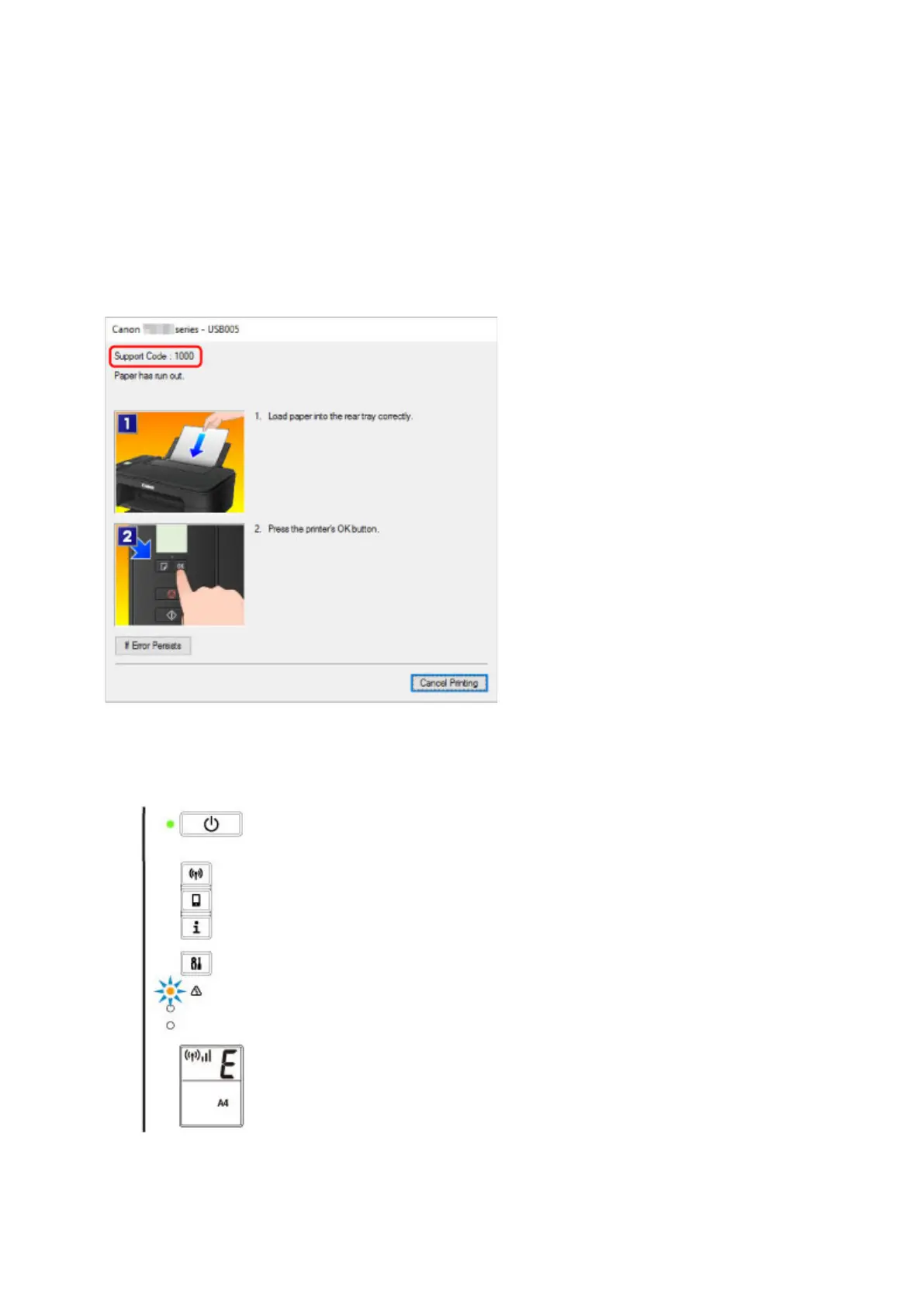
When an error occurs, a message appears on the computer screen and an error code on the LCD. For
some errors, a support code (error number) appears.
When a Support Code and a message are displayed on the computer
screen (Windows):
When an error code appears:
• The Alarm lamp lights up and an error code appears.
• The ON lamp and Alarm lamp flash alternately and an error code appears.
252



 To Next Page