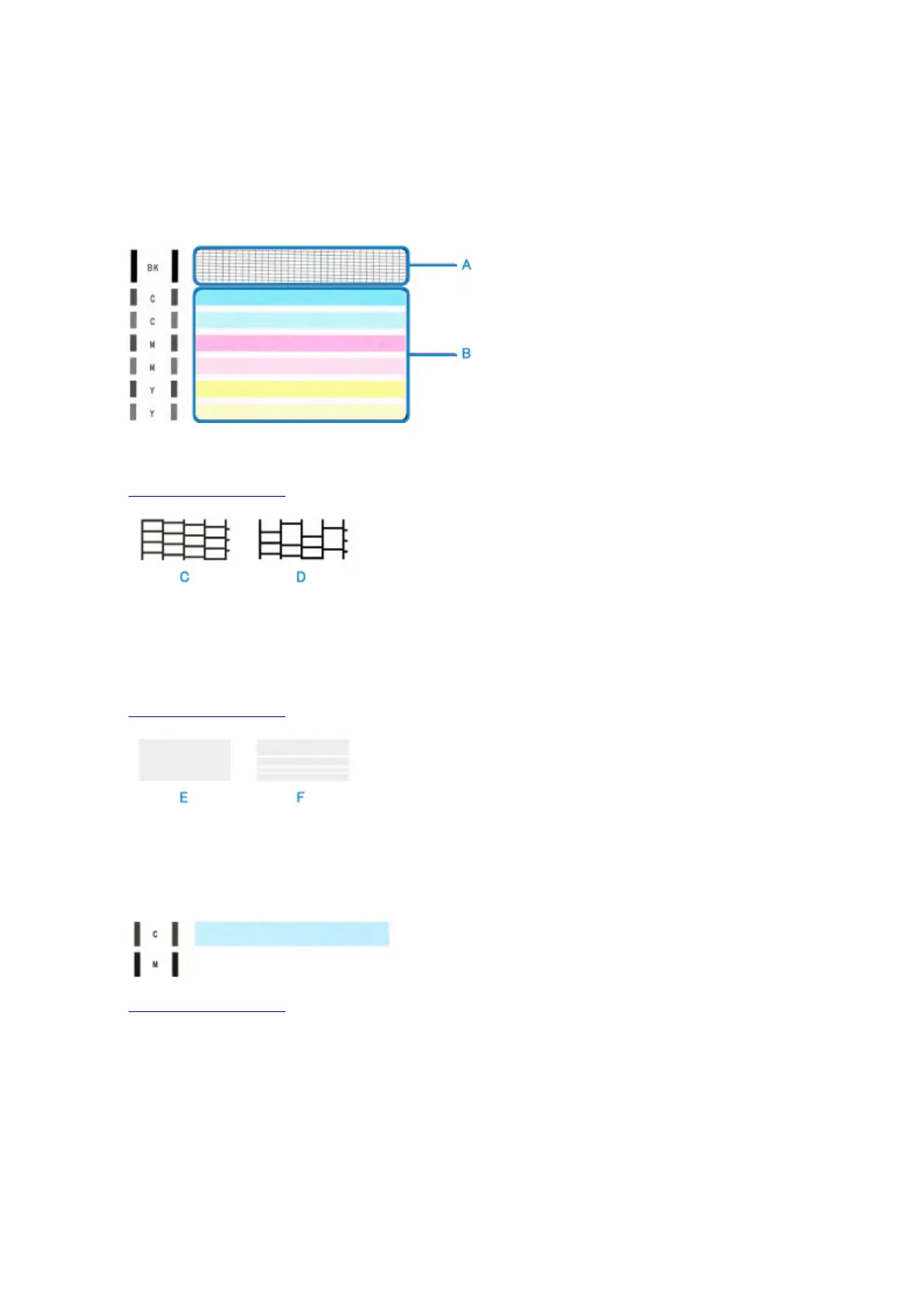
Examining the Nozzle Check Pattern
Examine the nozzle check pattern, and clean the print head if necessary.
1. Check if there are missing lines in the pattern (A) or horizontal white streaks in the pattern
(B).
If there are missing lines in the pattern (A):
Cleaning the print head is required.
(C) Good
(D) Bad (lines are missing)
If there are horizontal white streaks in the pattern (B):
Cleaning the print head is required.
(E) Good
(F) Bad (horizontal white streaks are present)
If any color in the pattern (A) or the pattern (B) is not printed:
(Example: Magenta pattern is not printed)
Cleaning the print head is required.
74





 To Next Page