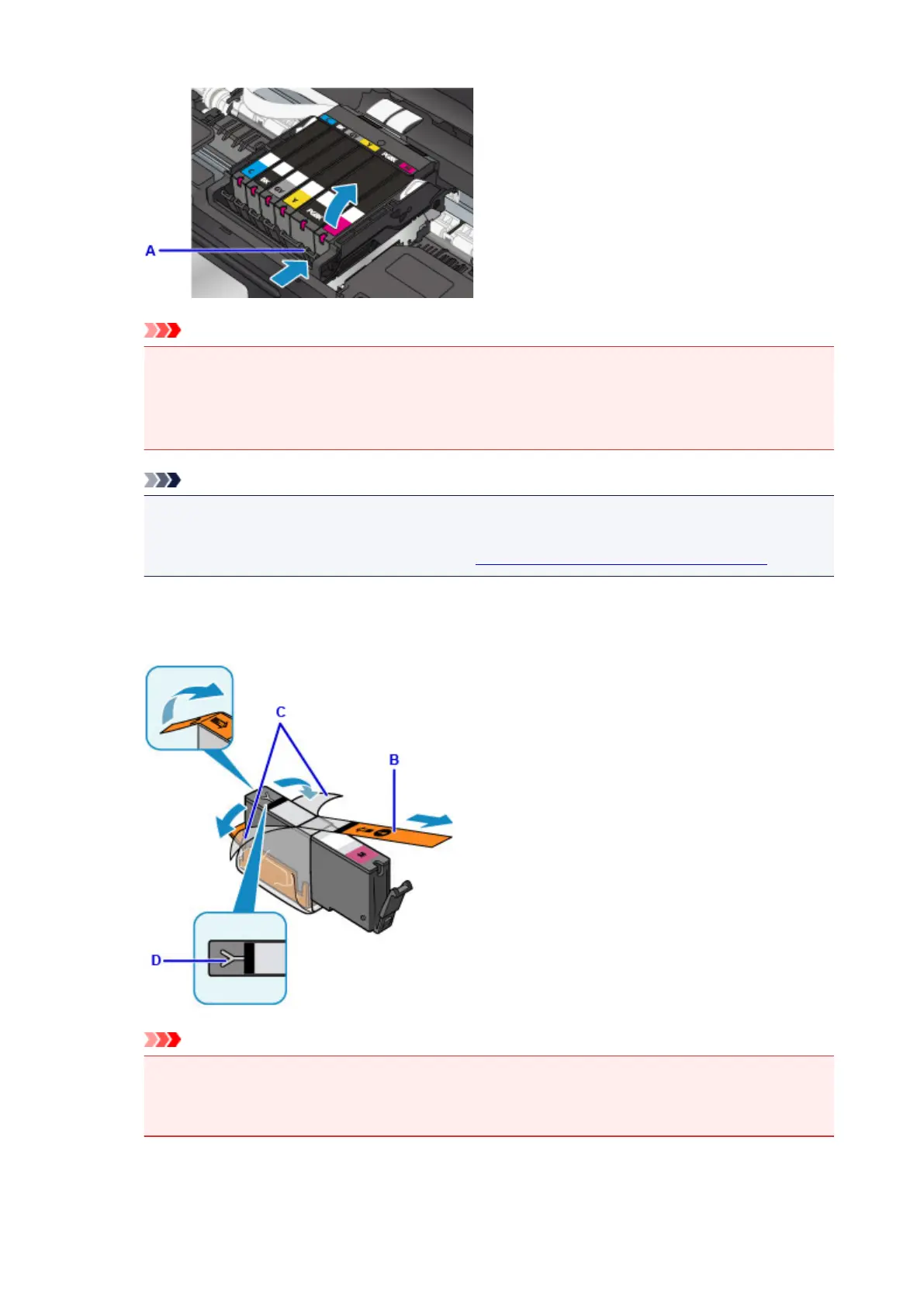
Important
•
Do not touch other parts besides the ink tanks.
•
Handle the ink tank carefully to avoid staining of clothing or the surrounding area.
•
Discard the empty ink tank according to the local laws and regulations regarding disposal of
consumables.
Note
•
Do not remove two or more ink tanks at the same time. Be sure to replace ink tanks one by one
when replacing two or more ink tanks.
• For details on ink lamp flashing speed, see Checking the Ink Status with the Ink Lamps.
4.
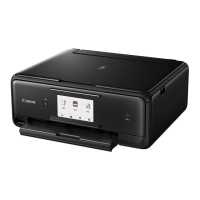
Take a new ink tank out of its package, remove the orange tape (B) completely, then
remove the protective film (C) completely.
Important
•
Handle an ink tank carefully. Do not drop or apply excessive pressure to it.
•
If the orange tape remains on the Y-shape air hole (D), ink may splash or the printer may not
print properly.
80




 To Next Page