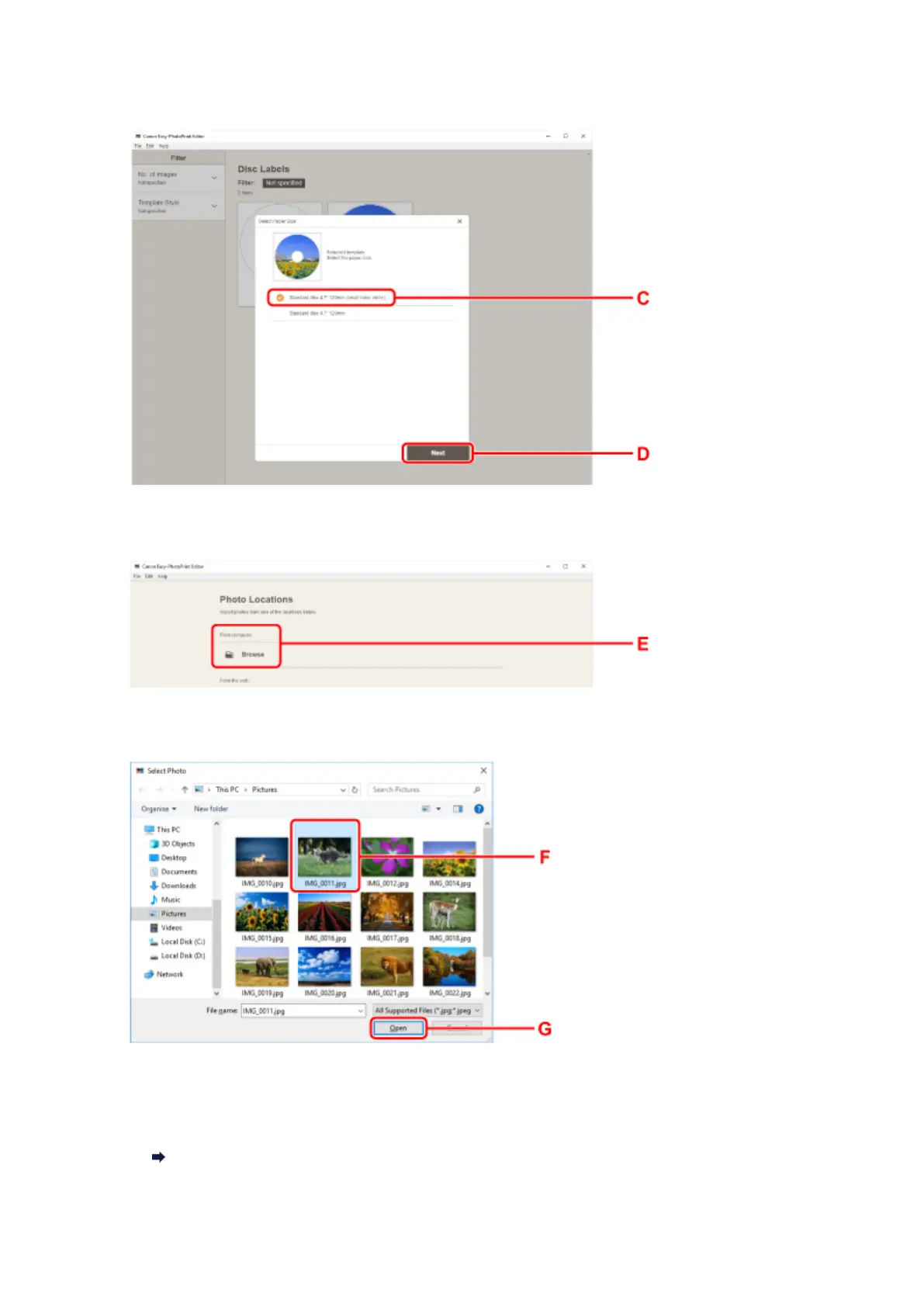
4. Select type of printable disc (C) and select Next (D).
5.
Click Browse (E) in From computer: and select folder with photos you want to print.
6.
Click photos (F) you want to print and select Open (G).
7. Edit disc label and select Next (H).
You can change the background or add texts.
Easy-PhotoPrint Editor Guide
46





 To Next Page