An Error Occurs
If an error occurs in printing, for example if the paper runs out or jams, a troubleshooting message appears
automatically. Take the appropriate action described in the message.
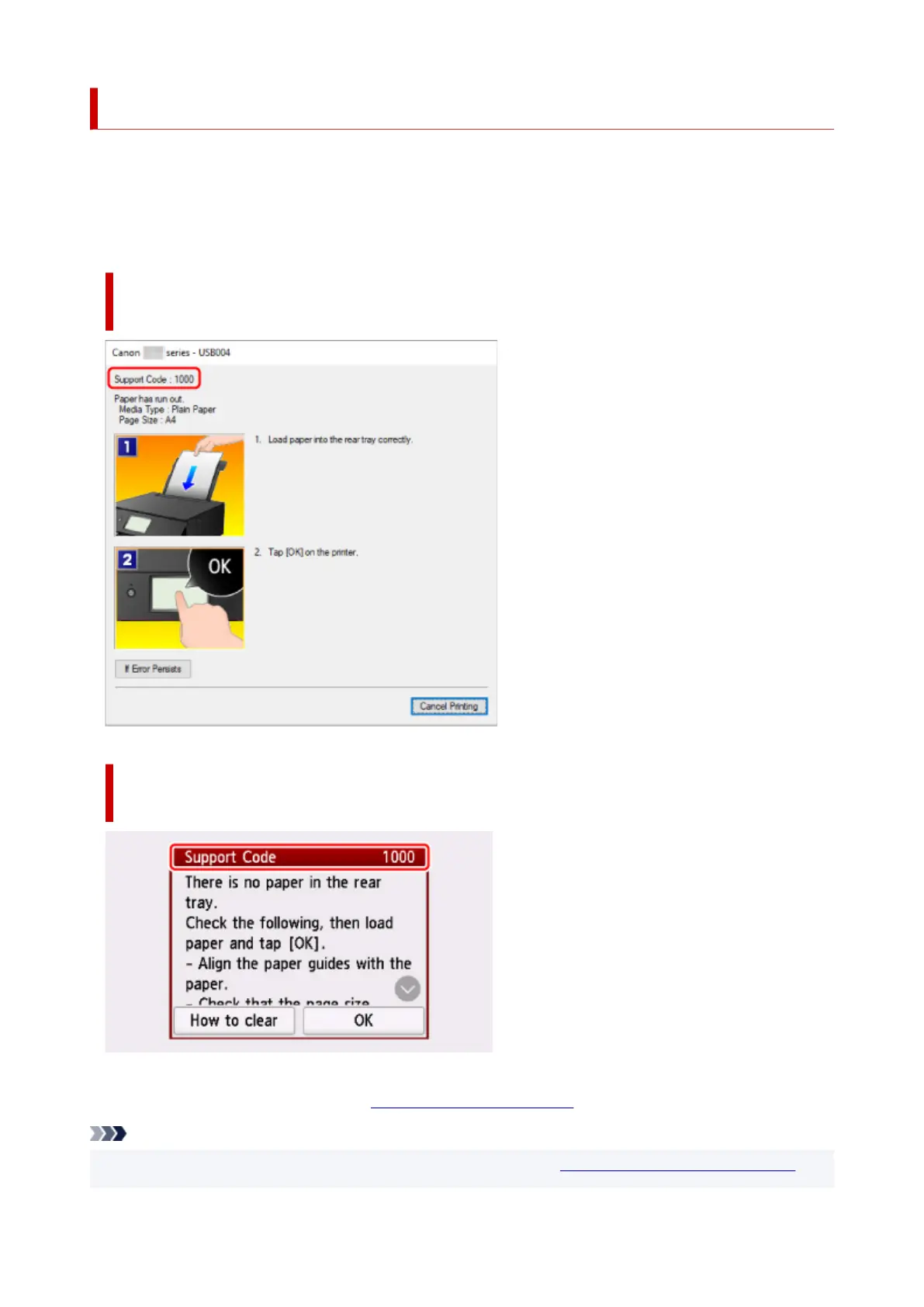
When an error occurs, a message appears on the computer, or an error code appears on the printer. For
some errors, a support code (error number) appears on the computer screen.
When a Support Code and a message are displayed on the computer
screen (Windows):
When a Support Code and a message are displayed on the printer
(touch screen):
For details on how to resolve errors, see List of Support Code for Error.
Note
• For details on how to resolve errors without Support Codes, see Message (Support Code) Appears.
482





 To Next Page