2-13
Installing the Camera
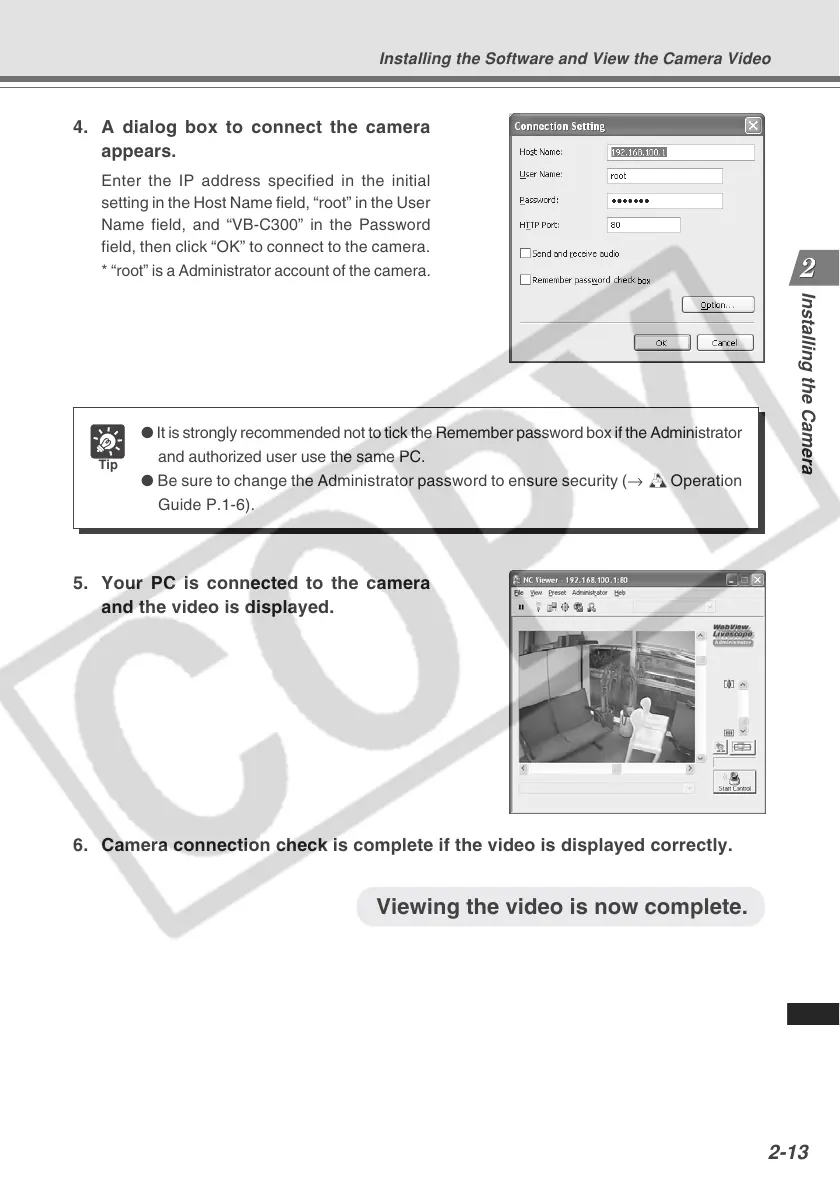
4. A dialog box to connect the camera
appears.
Enter the IP address specified in the initial
setting in the Host Name field, “root” in the User
Name field, and “VB-C300” in the Password
field, then click “OK” to connect to the camera.
*
“root” is a Administrator account of the camera.
5. Your PC is connected to the camera
and the video is displayed.
6. Camera connection check is complete if the video is displayed correctly.
Tip
● It is strongly recommended not to tick the Remember password box if the Administrator
and authorized user use the same PC.
● Be sure to change the Administrator password to ensure security (→ dOperation
Guide P.1-6).
Installing the Software and View the Camera Video
Viewing the video is now complete.



 To Next Page