2-22
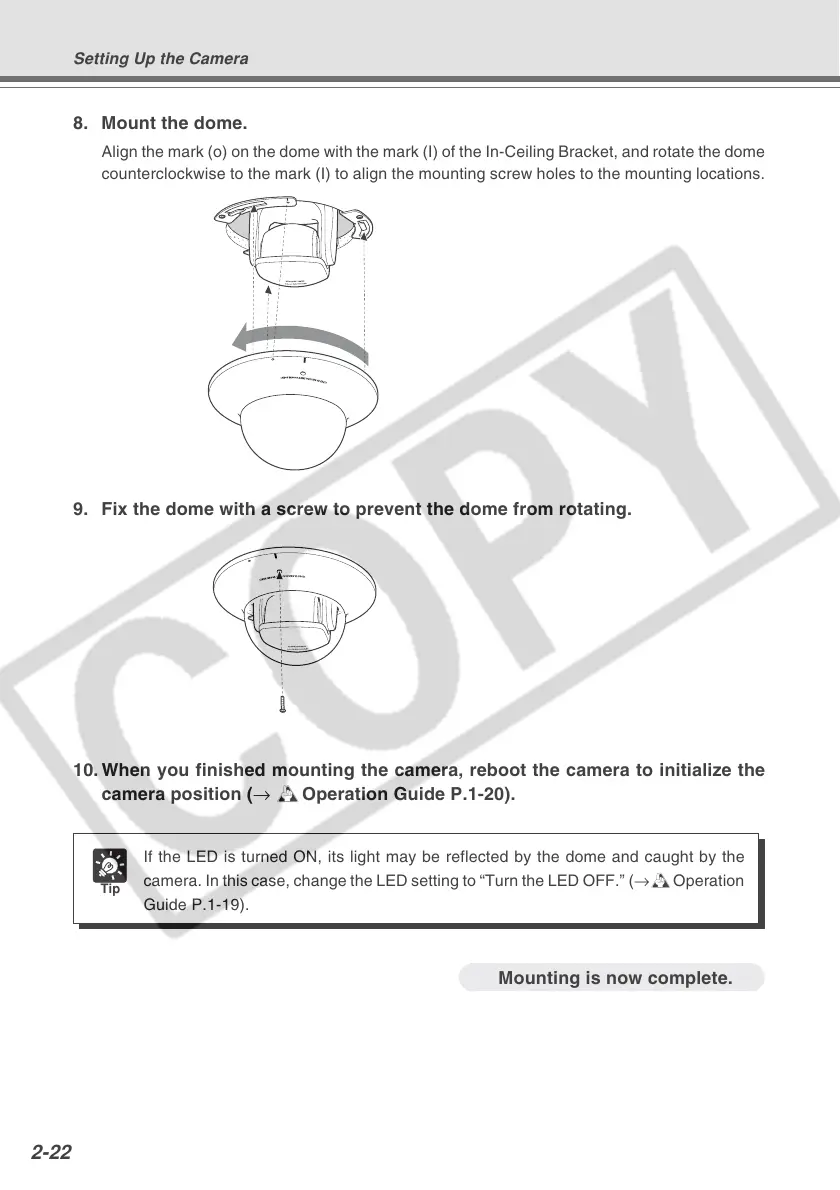
8. Mount the dome.
Align the mark (o) on the dome with the mark (I) of the In-Ceiling Bracket, and rotate the dome
counterclockwise to the mark (I) to align the mounting screw holes to the mounting locations.
9. Fix the dome with a screw to prevent the dome from rotating.
10. When you finished mounting the camera, reboot the camera to initialize the
camera position (→ dOperation Guide P.1-20).
Tip
If the LED is turned ON, its light may be reflected by the dome and caught by the
camera. In this case, change the LED setting to “Turn the LED OFF.” (→dOperation
Guide P.1-19).
Mounting is now complete.
Setting Up the Camera




 To Next Page