116
This utility manages video recorded on an SD memory card. It allows you to play back recorded video and download it to a
PC, display a video list or perform filtering.
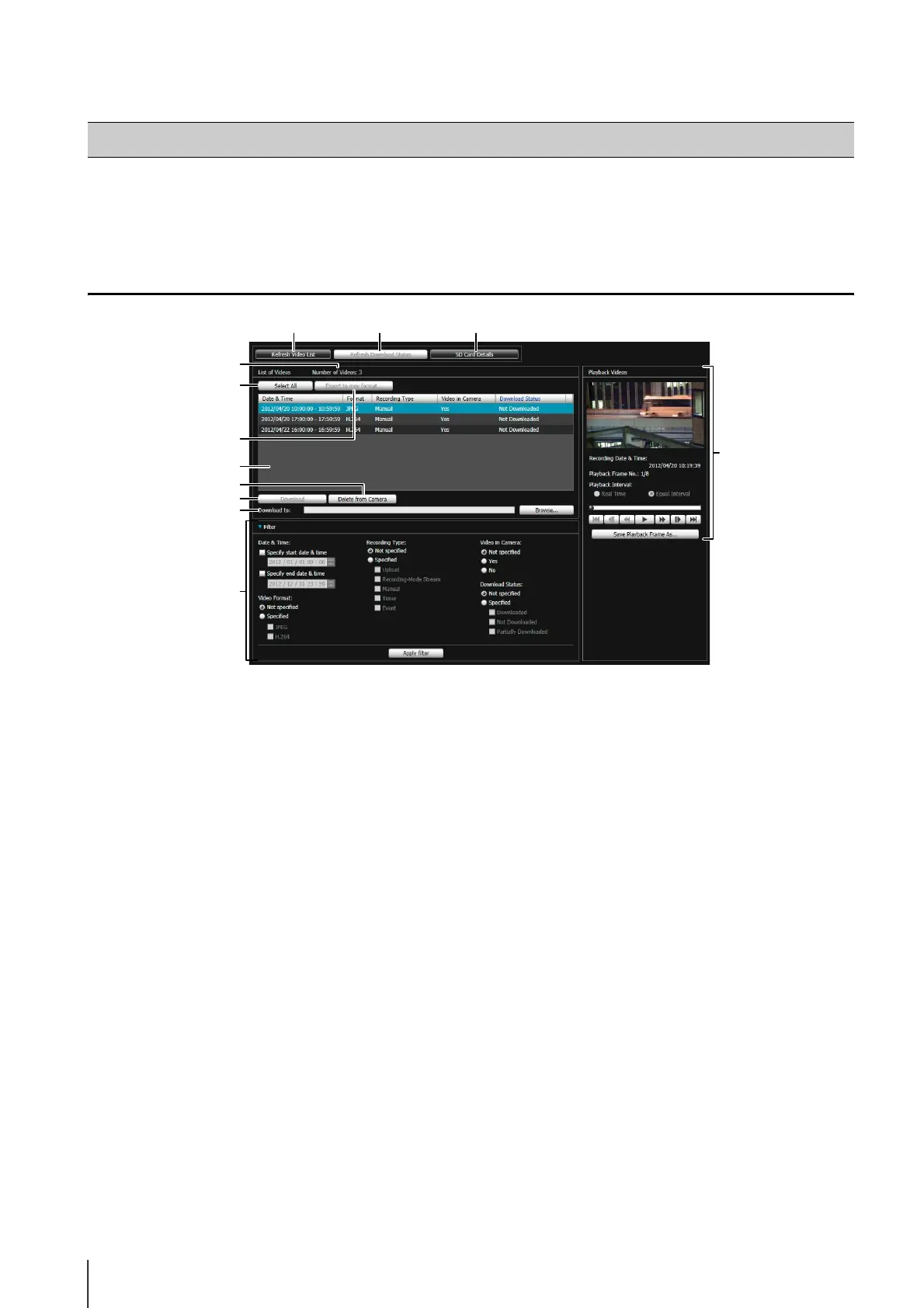
Display Screens of Recorded Video Utility
(1) [Refresh Video List]
Update the video list to the current state.
(2) [Refresh Download Status]
Update video download status to the current state.
(3) [SD Card Details]
Displays the dialog box for details about the SD
memory card.
(4) [Number of Videos]
Displays the number of videos in the video list.
(5) [Select All]
Select all video in the video list.
(6) [Export to mov format]
Export the [Downloaded] JPEG images selected in
the video list to a mov format video file.
(7) Video List
Displays a list of videos recorded on an SD memory
card and downloaded to a PC.
(8) [Delete from Camera]
Delete videos selected in the video list from the SD
memory card.
(9) [Download]
Download videos selected in the video list to a PC.
(10)[Download to]
Specify the folder that videos are downloaded to.
(11)[Filter]
Click [Filter] to open or close the filter area. Sets
criteria to narrow down the number of items displayed
in the video list (p. 117).
(12)[Playback Videos] Area
Plays videos selected in the video list (p. 118).
Recorded Video Utility
(1)
(11)
(7)
(10)
(9)
(8)
(5)
(6)
(4)
(2) (3)
(12)



 To Next Page