[Event] Setting Video Record, Volume Detection, Audio Playback and Timer
63
5
Setting Page
(9) [E-mail Notification]
Select the e-mail notification operation to be
performed. If [Enable] is selected, e-mail notification
is performed when a volume detection event occurs.
To use this function, the [E-mail Notification] sub-
menu must also be set from the [Upload] menu
(p. 59).
(10)[External Device Output for ON Event]
Select whether external device output (1 or 2) is active
or inactive upon an ON event. Select [Disable] to
disable external device output.
(11)[External Device Output for OFF Event]
Select whether external device output (1 or 2) is active
or inactive upon an OFF event. Select [Disable] to
disable external device output.
External Device Output
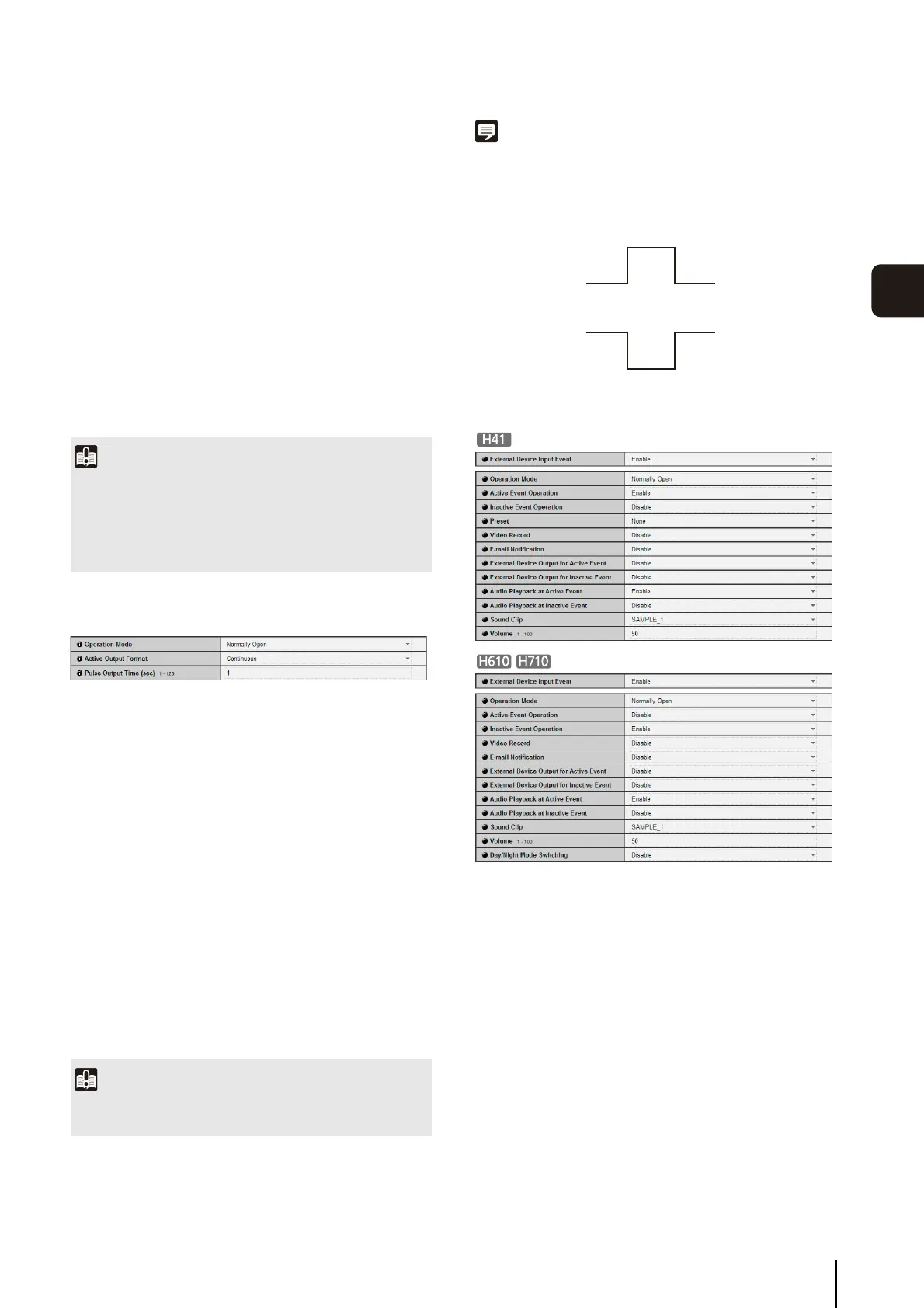
(1) [Operation Mode]
Select the normal (inactive) circuit condition.
When [Normally Open] is selected, the output
terminals remain in the open state during normal
operation, and the terminals close upon an active
event and open upon an inactive event.
When [Normally Close] is selected, the output
terminals remain in the closed state during normal
operation, and the terminals open upon an active
event and close upon an inactive event.
(2) [Active Output Format]
Select [Pulse] or [Continuous] for the external device
output format.
(3) [Pulse Output Time (sec)]
Enter the pulse output time in the range of 1 to 120
(sec.). This setting is available when [Active Output
Format] is [Pulse].
Note
[Normally Open] means that the contacts are normally in the
open state (that the circuit is non-conductive), and [Normally
Close] means that the contacts are normally in the closed state
(that the circuit is conductive).
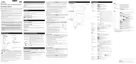
External Device Input
(1) [External Device Input Event]
Set external device input events to [Disable] or
[Enable].
(2) [Operation Mode]
Select the circuit condition of the connected external
device.
When [Normally Open] is selected, an active event
occurs when the terminals of the external device
close, and an inactive event occurs when the
terminals open.
When [Normally Close] is selected, an active event
occurs when the terminals of the external device
open, and an inactive event occurs when the
terminals close.
Important
• The volume detection function is temporarily disabled during
audio file playback and audio transmission from the viewer.
• For notes on use of volume detection, see “Safety
Precautions” in “Precautions for Use of Built-In Camera
Functions and Included Software” (p. 7).
Important
When [Active Output Format] is set to [Pulse] and a timer is
used, a single contact output is controlled when the timer starts.
Normally Open
Active Event
Inactive Event
1 (Terminals close)
0 (Terminals open)
Normally Close
Inactive Event
Active Event
1 (Terminals close)
0 (Terminals open)



 To Next Page