88
English
Using Spotify Connect
Use your phone, tablet or computer as a remote control for Spotify. Go to spotify.com/connect to learn how.
Automatic Updates
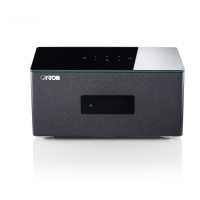
After being connected to a network and getting access to the Canton Update Server via the Internet, the Amp 5.1 automatically performs
firmware updates. Each time the Amp 5.1 is connected to the mains, and at regular intervals (also in standby) it searches for a firmware
update and installs it, if available. The LED flashes red/green during the update process, and the display shows "DOWNLOADING" followed
by"UPDATING". During this time the system is not ready for operation.
Caution: Do not disconnect the Smart Amp 5.1 from the power supply during an update process!
Note: If you do not wish to setup your Amp 5.1 using the "Google Home app", please connect your Amp 5.1 permanently or temporary at
regular intervals with your network router using an ethernet cable to keep your Amp 5.1 always updated.


 To Next Page
 Loading...

