3
115
English
To perfom the reset please do as follows:
1
To enter the menu, press the "M" button.
2
Use the " " or " " button to navigate to the menu Wireless Setup [WIS] and confirm with the "OK" button.
3
Use the " " or " " button to select the menu item Wireless Reset [WRE] and confirm with the "OK" button. The menu shows "Reset",
the display shows [YES].
4
To cancel the reset procedure, press the "M" button. The menu goes back to the menu item Wireless Reset and the display shows [WRE]
again. Press the "M" button additional two times to exit the menu.
5
To execute the reset press the "OK" button. The display then shows [YES] to confirm the reset procedure, the OSD shows "Please Wait".
6
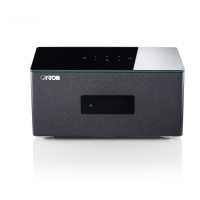
After the reset procedure, the Amp 5.1exits the menu and goes into normal mode.
5. Output Setup [OPS]
The fifth item of the Main menu is the Output Setup [OPS] which is used to set up both the speaker availability and speaker type, as well as
the way the speakers are connected to the Smart Amp 5.1 - wired or wireless. It contains the two items:
• Speaker Config [SPC]
• Speaker Mapping [SPM]


 To Next Page
 Loading...

