
 Need help?
Do you have a question about the Canton Smart Sub 12 and is the answer not in the manual?
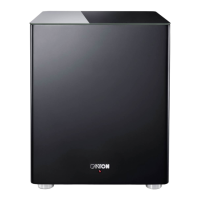
The Canton Smart Sub 12 is a powered subwoofer designed to enhance the audio experience, particularly when paired with Canton's smart loudspeakers, soundbars, sounddecks, or soundboxes. Its primary function is to reproduce low-frequency sounds, adding depth and impact to music, movies, and games. The subwoofer offers flexible connectivity options, allowing for both wireless and wired integration into an audio system.
One of the key usage features of the Smart Sub 12 is its wireless capability. When used in wireless mode, it connects to compatible Canton smart loudspeakers via a high-end radio link operating at a frequency of 5.8 GHz. This ensures robust and loss-free data transmission, providing a clean and powerful bass response without the need for additional audio cables. The wireless connection is established automatically once the Smart Sub 12 has been successfully paired with the wireless loudspeaker. An input selector switch on the subwoofer allows users to select the "WIRELESS [POWER AUTO]" setting, which is the factory default. In this mode, the subwoofer automatically activates when the wireless loudspeaker is turned on and switches off automatically when the loudspeaker is powered down. A red LED on the baffle indicates standby mode, while a green LED signifies active operation.
For users who prefer a wired connection or have specific system configurations, the Smart Sub 12 also supports wired operation via a cinch (RCA) cable. This is particularly useful when connecting to a Smart Soundbar or Smart Sounddeck where the audio signal is supplied via cable, but wireless control (on/standby, volume) of the subwoofer is still desired. In such a "SMART WIRED" setup, the input selector switch on the Smart Sub 12 should be set to "WIRED [POWER AUTO]". This allows the subwoofer to automatically switch on and off or enter standby mode in conjunction with the connected soundbar or sounddeck. Alternatively, for a permanently switched-on wired connection, the input selector switch can be set to "WIRED [POWER ON]". This ensures the Smart Sub 12 remains active continuously, providing consistent bass output.
The pairing process for wireless connection is straightforward and varies slightly depending on the type of Canton smart device it's being connected to (Soundbars/Sounddecks, floorstanding/compact speakers, or Soundboxes). Generally, it involves turning on the master smart speaker, navigating through its menu to the "Wireless Setup" and "Wireless Pairing" options, and then selecting "Subwoofer" for pairing. Once the Smart Sub 12 is connected to the mains power, it typically takes 10-20 seconds for the connection to be established, indicated by a status change to "Connected" on the master device's display. It's crucial to ensure the Smart Sub 12 is not connected to the power supply before initiating the pairing process.
The physical placement of the Smart Sub 12 is also an important usage consideration. It should be placed in the desired location, ensuring the distance between the subwoofer and the connected device does not exceed 10 meters for optimal performance. Users are advised to install the Smart Sub 12 in a way that prevents it from being damaged or causing damage. It's also recommended not to raise the subwoofer (e.g., on a table) or place it on a ledge (e.g., stairs) to maintain stability and sound quality.
In terms of maintenance features, the Smart Sub 12 is designed for simple care. It should only be cleaned with a clean, dry cloth. Users are explicitly warned against using aggressive, alcoholic, or abrasive cleaning agents, as these could damage the device's finish or internal components. The housing should never be opened by the user, as there are no user-serviceable parts inside. All repair and maintenance work should be performed by qualified personnel. This includes situations where the device has been damaged, exposed to moisture, or is not operating normally. Unauthorized modifications to the device or accessories are also discouraged, as they can compromise safety, regulatory compliance, and system performance, potentially voiding the warranty.
The device also incorporates safety instructions that contribute to its longevity and safe operation. It is designed for indoor use in moderate climates and should not be exposed to rain, moisture, or extreme temperatures. Proper ventilation is important, with a recommended clearance of at least 5 cm around the device. Users are reminded to handle the mains cable carefully, avoiding stepping on or pinching it, and to disconnect the device from the mains during thunderstorms or prolonged periods of non-use. The "SERVICE PORT" on the device is exclusively for Canton customer service, further emphasizing that internal maintenance should be left to professionals.
Overall, the Canton Smart Sub 12 offers a user-friendly experience with its versatile connectivity, automatic power management in wireless and smart wired modes, and clear pairing instructions. Its design prioritizes both audio performance and user safety, with straightforward maintenance guidelines focused on external cleaning and professional servicing for internal issues.
 General
| Type | Active Subwoofer |
|---|---|
| Acoustic Principle | Bass Reflex |
| Driver Size | 12 inches |
| Woofer Quantity | 1 |
| Crossover Frequency | 50...200 Hz (adjustable) |
| Connectivity | Wireless, Wired |
| Inputs | Line In |





 To Next Page