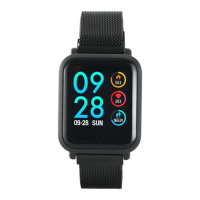
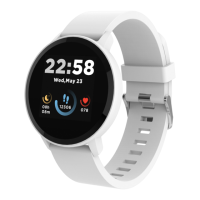
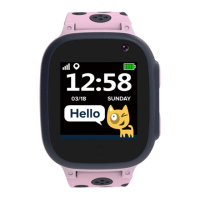
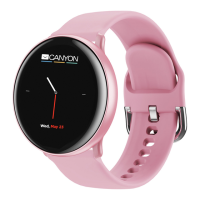
Canyon SW-78 Smartwatch
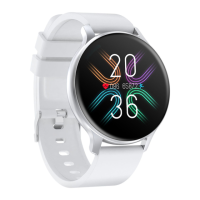
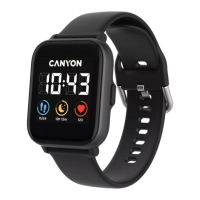
The Canyon SW-78 Smartwatch, available in "Black Salt" and "Pink Salt" editions, is a feature-rich wearable designed for active lifestyles. This model stands out with its dual Bluetooth chips, offering enhanced music playback options directly from the watch, eliminating the need for a smartphone during activities.
Function Description
The SW-78 Smartwatch provides a comprehensive suite of features for daily activity tracking, sports monitoring, and smart notifications.
Core Functions:
- Touch Screen: The primary interface for navigating menus and interacting with features.
- Function Button: A physical button for quick actions, such as returning to the watch face or turning the device on/off.
- Heart Rate Sensor: Continuously monitors heart rate, with the ability to initiate on-demand measurements.
- Charging Pins: Connects to the charging cable for power.
Activity Tracking:
- Daily Activities: Tracks total sport time, burned calories, and detailed step statistics. Swipe left from the watch face to access this menu.
- Sleep Monitor: Automatically monitors sleep patterns, providing reports on total sleep, light sleep, deep sleep times, and target sleep percentage.
- Oxygenation (SpO2): Measures blood oxygen saturation levels.
- Heart Rate Monitoring: Provides real-time heart rate data and historical statistics when synced with the Canyon Life app.
Sports Modes:
The smartwatch offers 11 dedicated sport modes to track various activities:
- Walking
- Running
- Hiking
- Cycling
- Run Indoor
- Swimming
- Basketball
- Skipping
- Football
- Yoga
- Badminton
During exercise, the watch records data and allows for Bluetooth music playback with connected headsets. Data is saved if the activity duration exceeds 2 minutes, distance is over 0.1 kilometer, and calorie value is more than 1.
Music Player:
The SW-78 features two types of music players:
- Phone Music Player: Controls your smartphone's music player (start/stop, track switching, volume control). Requires the smartwatch to be paired with the smartphone and the music player activated on the smartphone.
- Local Music Player: Plays audio files directly from the watch's internal memory to any external Bluetooth audio devices (TWS, speaker, etc.). Supports MP3, WMA, AAC, M4A, APE, FLAC, WAV audio formats. To use, connect the watch to a computer, copy songs to its external drive, then pair with a Bluetooth audio device.
Smart Features:
- Notifications (Messages): Displays notifications from a customizable list of applications on your smartphone.
- Camera Control (Shutter): Acts as a remote shutter for your smartphone's camera. Requires the smartwatch to be paired and the "take photo" screen open in the Canyon Life App.
- Breathing Training: Guides users through breathing patterns to calm down and restore breathing.
- Weather Forecast: Provides current weather and a multi-day forecast.
- Stopwatch: A standard stopwatch function.
- Timer: A countdown timer function.
- Incoming Call Rejection: Allows users to reject incoming calls directly from the watch.
- Sedentary Reminder: Notifies users to move or warm up after periods of inactivity (activated via Canyon Life app).
- Water Balance Reminder: Reminds users to drink water at set intervals (activated via Canyon Life app).
Customization:
- Watch Face: Users can press and hold the main screen to change the watch face theme, swiping left or right to browse and tapping to apply.
- Settings Menu: Accesses options for vibration alerts, display brightness, device restart/power off, and technical information (firmware version, BT name, MAC address).
- Shortcut Menu: Swipe down from the watch face to quickly access brightness adjustment, vibration toggle, viewing mode (Theater mode), and flashlight.
Important Technical Specifications
- Connectivity: Dual Bluetooth chips.
- Water Resistance: Immersible in water up to a maximum depth of 1.5m for up to 30 minutes. Not suitable for diving or hot water.
- Charging: USB-cable connection to a power source (5V, 1A power adaptor recommended). Full charge takes up to 2 hours.
- Music Storage: Internal memory for local music playback.
- Supported Audio Formats: MP3, WMA, AAC, M4A, APE, FLAC, WAV.
Usage Features
General Usage:
- Charging: Ensure the smartwatch is fully charged before first use. Connect the charging pins to the charging cable, then plug the USB-cable into a power source.
- Pairing with Smartphone:
- Download the "Canyon Life" app.
- Open the app, go to "Bluetooth Devices" -> "Start" -> "SW78" -> "ADD DEVICE".
- Confirm connection on the smartwatch.
- Ensure Bluetooth and GPS high accuracy are active on your smartphone.
- Navigation:
- Touch Screen: Tap icons to select, swipe left/right to navigate between menus or return to the previous menu.
- Function Button: Briefly press to return to the watch face.
- Watch Face: Swipe up to enter the main menu, swipe left for daily activities, swipe right for the music player, swipe down for the shortcut menu.
Music Playback (Local):
- Connect the watch to a computer via USB.
- Copy desired audio files to the watch's internal memory (built-in files cannot be deleted).
- On the watch, select the "Local music player" type.
- Tap "Bluetooth" to open the BT connecting menu, search for and select your external Bluetooth audio device.
- Go back to the main player screen, tap the file manager icon, and select an audio file to play.
- Use the on-screen buttons to start/stop, switch tracks, and control volume. Tap the Bluetooth icon to manage BT connection or switch to "Phone player".
Daily Activity Target:
Set a daily activity target in the Canyon Life app. Upon reaching the goal, the watch will display a notification.
Troubleshooting:
- Smartwatch doesn't turn on: Connect to a USB port/socket adapter and wait.
- Smartwatch not detected by smartphone: Ensure Bluetooth and GPS high accuracy are active, and the watch is not connected to another smartphone.
- Smartwatch detected but fails to connect: Turn the smartwatch off/on, toggle Bluetooth on/off on the phone, reboot the phone.
- Connected but functions not working (Android only): Ensure the watch is connected via the Canyon Life app ONLY, not paired via Android Bluetooth settings.
- Smartphone constantly disconnects from app: Grant background running permission for the app on your phone.
- Phone player doesn't work: Check smartphone connection, activate music player on smartphone, start playback of any song, then control via smartwatch.
- Local player doesn't play songs: Check for audio files in internal memory, ensure BT connection with external device, check external BT device battery, increase watch volume.
Maintenance Features
Care and Protection:
- Water Protection: The device is water-resistant up to 1.5m for 30 minutes. Do NOT use it for diving or in hot water, as this can cause damage.
- Heat Protection: Avoid placing near hot appliances or objects, direct sunlight during hot seasons, and do not use in a sauna.
- Impact Protection: Avoid dropping the device from heights over 0.5m onto hard surfaces.
Warranty:
- Warranty Period: Starts from the purchase date from an authorized Canyon seller, as indicated on the sales receipt or waybill.
- Service: During the warranty period, repair, replacement, or refund is performed at the manufacturer's discretion.
- Manufacturer: Asbisc Enterprises PLC, 43, Diamond Court, Kolonakiou Str, 4103, Limassol, Cyprus, Ayios Athanasios. Support available at http://canyon.eu/.


 To Next Page
 General