
 Need help?
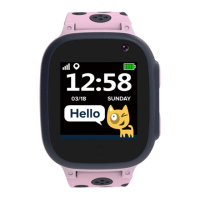
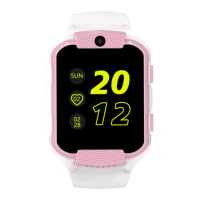
Do you have a question about the Canyon Cindy CNE-KW41WP and is the answer not in the manual?
Covers general information, specifications, device description, and basic operations like calls.
Guides through charging, SIM card insertion, and device power management (on/off).
Explains how to change watch faces and access the quick menu for settings.
Details usage for SMS messages, camera, music player, and emergency calls.
Provides solutions for common device problems like startup, call, and audio issues.
Outlines safe usage practices, handling, cleaning, and warranty conditions.
Provides information on WEEE compliance and proper device and battery disposal.
 General
| Display Size | 1.3 inches |
|---|---|
| Resolution | 240 x 240 pixels |
| Battery Life | Up to 5 days |
| Water Resistance | IP67 |
| Heart Rate Monitor | Yes |
| Bluetooth | Bluetooth 4.0 |
| Operating Time | Up to 5 days |
| Connectivity | Bluetooth 4.0 |
| Compatibility | Android, iOS |
| Compatibility iOS | iOS 9.0+ |
| Sensors | Heart rate sensor, Accelerometer |



 To Next Page