EasyManua.ls Logo

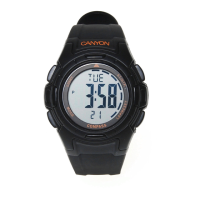
Canyon CNS-SW9 - User Manual

Canyon CNS-SW9
16 pages
Print Icon
To Next Page IconTo Next Page
Loading...
1
TABLE OF CONTENTS
INTRODUCTION 2
SAFETY PRECAUTIONS 2
PACKAGE CONTENTS 3
DEVICE OVERVIEW 3
BASIC OPERATION 4
CURRENT TIME MODE 5
DAILY ALARM MODE 6
CHRONOGRAPH MODE 7
COUNTDOWN TIMER MODE 8
PACER MODE 9
DUAL TIME MODE 10
COMPASS FUNCTION 11
Question and Answer IconNeed help?

Do you have a question about the Canyon CNS-SW9 and is the answer not in the manual?

Summary

Introduction

Safety Precautions

Essential safety measures for device operation and use.

Package Contents

Device Overview

Basic Operation

Current Time Mode

How to view and set the current time and date.

Daily Alarm Mode

How to set and manage daily alarms and hourly chimes.

Chronograph Mode

How to use the stopwatch for timing events.

Countdown Timer Mode

How to set and use the countdown timer.

Pacer Mode

How to use the watch as a pacer with audible beeps.

Dual Time Mode

How to display and set a second time zone.

Compass Function

Introduction to the compass feature and its activation.

Current Time Mode

Daily Alarm Mode

Chronograph Mode

Countdown Timer Mode

Pacer Mode

Dual Time Mode

Compass Function

Compass Calibration

Step-by-step guide for calibrating the compass function.

Compass Direction and Bearing

Explanation of compass directions and bearings with a conversion table.

Measuring Compass Directions

How to take compass measurements and use bearing displays.

Bearing Lock

How to fix or release compass readings and the lock indicator.

Canyon CNS-SW9 Specifications

General IconGeneral
BrandCanyon
ModelCNS-SW9
CategoryWatch
LanguageEnglish

Related product manuals