
 Need help?
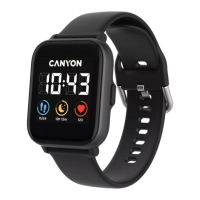
Do you have a question about the Canyon Wildberry SW-74 and is the answer not in the manual?
Ensure the smartwatch is fully charged using the provided charger before initial use. Charging takes up to 2 hours.
Press and hold the button for 3-5 seconds until the device powers on.
Charge, turn on, activate Bluetooth, download 'Canyon Life' app, and pair the smartwatch via Bluetooth devices menu.
Records daily steps, calories burned, and syncs data to the app for viewing.
Watch vibrates for new messages, displaying content. Stores the last three messages received.
Tracks sleep duration, deep sleep, and light sleep states. Data syncs to the app for analysis.
Measures Heart Rate and Blood Oxygen (SpO2) levels, data syncs to the app.
Supports various sports modes like walking, running, cycling. Tracks exercise data and syncs to the app.
Displays current and next day's weather information, requires app connection.
Control music playback (play/pause, next/previous song) from the watch interface.
Adjust the screen brightness according to your personal requirements.
Use the watch to remotely control the smartphone camera to take photos.
Start, pause, and reset the timer function directly from the watch interface.
Turn the flashlight on and off by pressing the designated button.
Access functions like vibration, screen lock, and torch via main screen swipe-down menu.
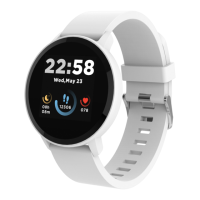
Allows users to choose and change the watch face displayed on the screen.
Options to restart the device or power it off completely.
View device version, MAC address, battery level, and Bluetooth connection status.
Reminds the user to walk around if the function is enabled in the app.
Allows setting up to three alarms via the companion smartphone application.
Connect to a USB cable to charge the device and wait for a few minutes.
Ensure Bluetooth and high-precision GPS Location Services are active on your smartphone.
Turn the smartwatch off and then turn it back on to resolve connection problems.
Protect from water splashes but avoid immersion, jets, or swimming. Keep away from heat sources.
Avoid dropping the device from heights over 0.5 meters onto hard surfaces.



 To Next Page
 General