2323Please keep this instruction manual for future reference Instruction manual C3246
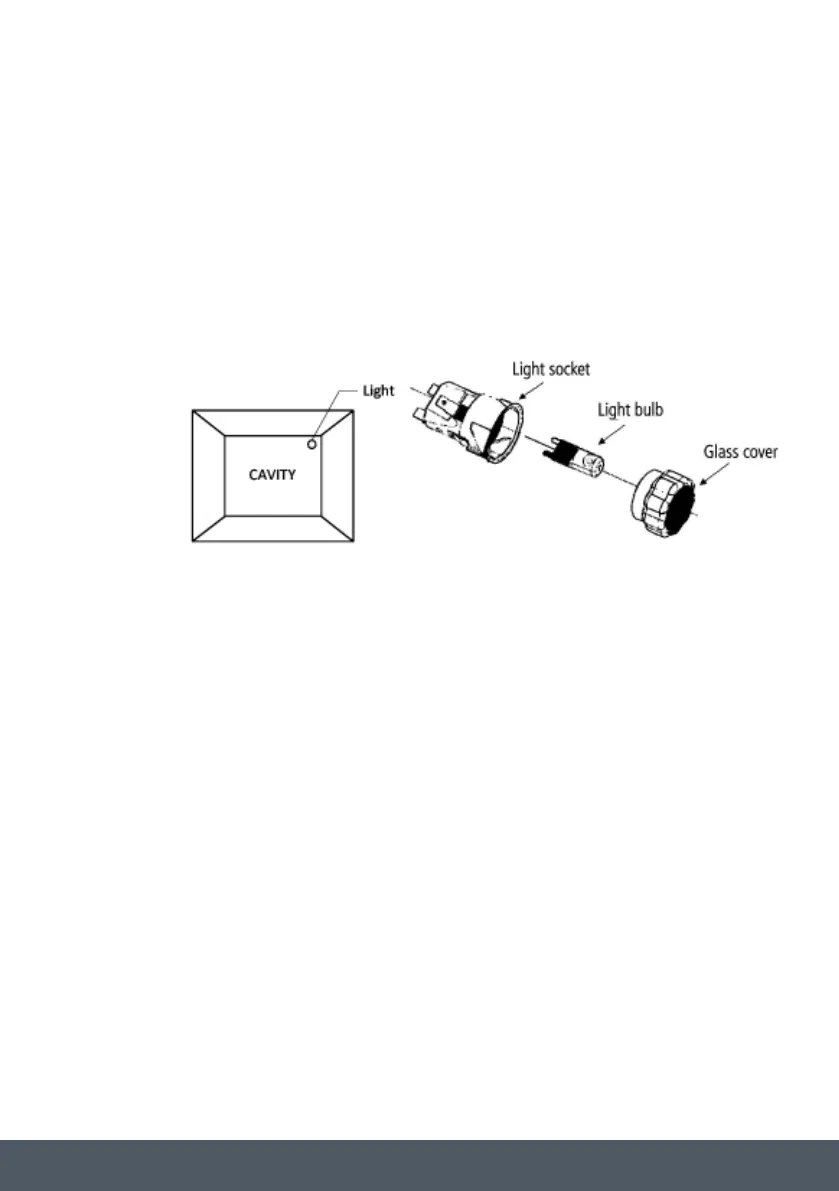
REPLACING THE OVEN LIGHT
› Switch off your oven at the mains.
› Remove the glass cover, by unscrewing this from the light socket.
› Remove the light bulb by pulling it from the light socket and replace it with a similar bulb.
HALOGEN LIGHT CHARACTERISTICS:
Voltage: AC220V-240V
Wattage: 25W
Cap: G9
› Remount the glass cover and reconnect the appliance to the power supply.
DO NOT TOUCH: The light bulb directly with your hands.
WARNING: Ensure that the appliance is disconnected from the mains before replacing the light
to avoid the possibility of electric shock.


 To Next Page