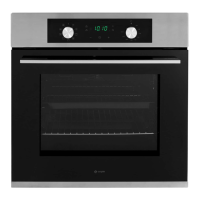
This document is an instruction manual for the Caple C2234 / C2234BK Classic single oven, providing comprehensive guidance on its safe operation, installation, usage, and maintenance.
Function Description:
The Caple C2234 / C2234BK is a single electric oven designed for domestic cooking purposes. It features a range of functions to accommodate various cooking needs, including:
- Light: Illuminates the oven interior, allowing users to monitor cooking progress without opening the door.
- Turbo Defrost: Distributes ambient air inside the oven to accelerate the defrosting process for food items.
- Fan Heat: Utilizes both the fan and a circular heating element to evenly distribute hot air throughout the oven cavity. This function is suitable for cooking multiple types of food simultaneously, such as meat and fish, without flavour transfer, and is also ideal for delicate pastries.
- Grill: Designed for grilling and gratinating food. For optimal performance and safety, the oven door must remain closed when using this function.
- Turbo Grill: Offers a quicker grilling and gratinating experience compared to the standard grill function. As with the regular grill, the oven door must be closed during operation.
The oven is equipped with a touch control electronic timer, which is essential for its operation. The timer allows users to set the current time, manage cooking durations, and schedule automatic switch-off times.
Usage Features:
The oven's control panel includes a function control knob, a temperature control knob, plus/minus touch control buttons for time adjustments, a timer touch control button, a temperature indicator, and a display screen.
Before initial use, it is recommended to heat the empty oven at maximum temperature for one hour to eliminate any manufacturing residues and thermal insulation smells. This should be done in a well-ventilated area.
When using the oven, users should be aware that both internal and external surfaces become hot. Caution is advised when opening the oven door to avoid hot steam, which can cause burns. Oven gloves should always be used when handling food inside the hot oven.
For cooking, users select the desired function and temperature. The oven preheats until the selected temperature is reached, indicated by the orange temperature indicator light turning off. This light will illuminate again automatically when the heating elements are active during operation.
The drip tray should be removed for fan cooking and roasting but kept in place for grilling to catch any fat droplets. Food should be placed in oven dishes with raised edges and positioned centrally under the grill.
The electronic timer offers several functions:
- Setting the Time: The oven will only operate once the time has been set. If the appliance is connected to the electrical supply or after a power cut, the time indicator will flash, prompting the user to set the current time using the plus or minus buttons.
- Countdown: A signal sounds after a set countdown period. This function does not affect oven operation.
- Cook Time: Allows users to set how long the oven should be in use. When the set cook time elapses, the oven will automatically switch off, and an acoustic signal will sound.
- End Time: Enables users to set a specific time for the oven to switch off.
- Combined Cook Time and End Time: These functions can be used simultaneously to program the oven to switch on and off automatically at specific times, allowing for delayed cooking.
The oven also features side racks for holding shelves and an optional accessory of telescopic runners, which facilitate easier access to dishes by allowing shelves to slide out smoothly.
Maintenance Features:
Regular cleaning and maintenance are crucial for extending the oven's lifespan and ensuring its efficiency and safety.
- Safety First: Always unplug the oven from the electrical supply before cleaning or performing any maintenance to prevent electric shock.
- Cleaning Surfaces: The internal and external surfaces should be cleaned with a damp cloth once the oven has cooled down. Harsh abrasive cleaners, sharp metal scrapers, and steam cleaners should not be used, especially on the oven door glass, as they can scratch the surface and lead to damage or shattering.
- Accessories: All accessories should be washed in hot soapy water or a dishwasher and dried with a paper or cloth towel.
- Condensation: If condensation forms after extended use, it should be dried with a soft cloth.
- Rubber Seal: The rubber seal around the oven opening should be checked regularly for condition and cleaned without abrasive products. If damaged, Caple Service should be contacted, and the oven should not be used until repaired.
- Aluminium Foil: Never line the oven bottom with aluminium foil, as this can cause heat accumulation, potentially compromising cooking and damaging the enamel.
- Oven Door Removal: For easier cleaning of the oven interior, the oven door can be removed. This involves lifting two levers and pulling out hooks. Reassembly requires inserting the hooks into slots, ensuring proper seating, and then re-engaging the levers.
- Glass Panel Removal: The oven door consists of two panes of glass. If condensation forms between them, the panels can be dismantled for cleaning. This involves pressing buttons on the sides of the door to remove the top rail, then carefully sliding out the inner glass panel. Reassembly is the reverse of this process.
- Lamp Replacement: The oven lamp can be replaced by first cutting off the power supply, then unscrewing the glass cover and the old lamp. It should be replaced with a high-temperature lamp (300°C) with specific voltage (AC220V-240V), wattage (15W), and socket type (E14). The glass cover is then remounted, and power is reconnected.
For any maintenance or repair work, only authorised Caple service technicians should be contacted, and original spare parts should be used to maintain efficiency and safety.



 To Next Page
 General
 Weight and Dimensions