This document is an instruction manual for the Caple Classic Single Oven, model C2231. It provides comprehensive information on the appliance's safety, installation, operation, and maintenance.
Function Description
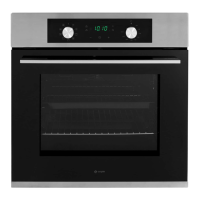
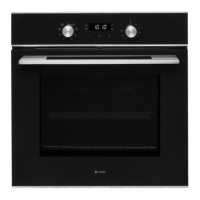
The Caple Classic Single Oven C2231 is a household appliance designed for cooking food indoors. It operates with a mono-phase alternating current of 220-240V, 50Hz. The oven features a control panel with a minute minder knob, a function control knob, a temperature control knob, and a temperature indicator light.
The oven offers several cooking functions:
- Light: Activates the internal oven light for visibility during cooking.
- Turbo Defrost: Distributes ambient temperature air inside the oven to speed up defrosting.
- Fan Heat: Utilizes both the fan and a circular heating element to evenly distribute hot air (between 50°C and MAX) throughout the oven. This function is ideal for cooking various types of food, such as meat and fish, simultaneously without mixing tastes or smells, and is also suitable for delicate pastries.
- Grill: Used for grilling and gratinating food. The oven door must remain closed when using this function.
- Turbo Grill: Offers quicker grilling and gratinating compared to other grill functions. The oven door must also be closed during Turbo Grill operation.
Usage Features
Before initial use, the oven should be heated empty at maximum temperature for 1 hour in a well-ventilated area to eliminate any unpleasant smells or smoke from manufacturing residues and thermal insulation.
To use the oven for cooking:
- Select the desired cooking function using the function control knob.
- Set the required temperature using the temperature control knob. The orange temperature indicator light will illuminate while the oven preheats.
- Once the oven reaches the selected temperature, the indicator light will turn off, signaling that the food can be inserted. The light will periodically illuminate during operation to indicate when the heating elements are active.
A minute minder is integrated into the control panel, adjustable from 1 to 60 minutes by turning the minute minder knob clockwise. An alarm will sound when the set time elapses.
When using the grill function, the drip tray should be in place to catch falling fat droplets. For fan cooking or roasting, the drip tray should be removed. Food should be placed in oven dishes with raised edges and positioned centrally under the grill.
Maintenance Features
Regular cleaning and maintenance are crucial for extending the oven's lifespan and ensuring its efficiency and safety. Always unplug the oven from the electrical supply before performing any cleaning or maintenance.
- General Cleaning: The inside and external surfaces of the oven should be cleaned with a damp cloth once the oven has cooled down. Do not clean the appliance when it is hot.
- Accessories: All accessories, such as shelves and trays, can be washed in hot soapy water or a dishwasher and then dried with a paper towel or cloth.
- Condensation: If condensation forms during extended use, dry it with a soft cloth.
- Oven Seal: The rubber seal around the oven opening should be checked regularly for condition and cleaned without abrasive products or objects. If damaged, contact Caple service and avoid using the oven until repaired.
- Oven Bottom: Never line the oven bottom with aluminum foil, as this can lead to heat accumulation and damage the enamel.
- Glass Door: Clean the glass door with a damp microfibre cloth or a clean sponge and a solution of hot water with a little washing-up liquid, then dry with a soft cloth. Avoid using harsh abrasive cleaners or sharp metal scrapers on the oven door glass, as they can scratch the surface and potentially cause shattering.
- Oven Light Replacement: To replace the oven light, first switch off the oven at the mains. Unscrew and remove the glass cover, then pull out the old bulb and replace it with a similar G9 halogen bulb (AC220V-240V, 25W). Do not touch the new bulb directly with bare hands. Remount the glass cover and reconnect the appliance to the power supply.
- Removing the Oven Door: For easier cleaning of the oven interior, the door can be removed. Open the door completely and lift two levers (B). Then, partially close the door and lift it out by pulling out hooks (A). To reassemble, insert hooks (A) into the slots with the door in a vertical position, ensuring seat (D) is perfectly hooked onto the slot edge. Keep the door fully open, unhook the levers (B) downwards, and then close the door.
- Removing Glass Panels: The oven door consists of two panes of glass. If condensation forms between them, the door can be dismantled for cleaning. Remove the door as described above and place it on a protective surface. Press button (A) on both sides of the door to remove the top rail. Slowly take out the inner glass panel. Clean the glass panes with a damp microfibre cloth or sponge and a solution of hot water with washing-up liquid, then dry and reassemble in reverse order.
- Telescopic Runners (Optional Accessory): If equipped, telescopic runners can be installed or removed. First, remove the side racks. Choose the desired shelf, position joints 'B' and 'C' on the frame according to the extraction direction, squeeze the bars slightly, and clip the runners onto the side racks. Finally, refit the side racks.
For any issues that persist after troubleshooting, contact Caple service. Always use original spare parts for repairs.



 To Next Page
 General
 Weight and Dimensions