Instruction manual CM465 / CM465SS / CM465GM10 Please keep this instruction manual for future reference
MENU
EXIT
OK
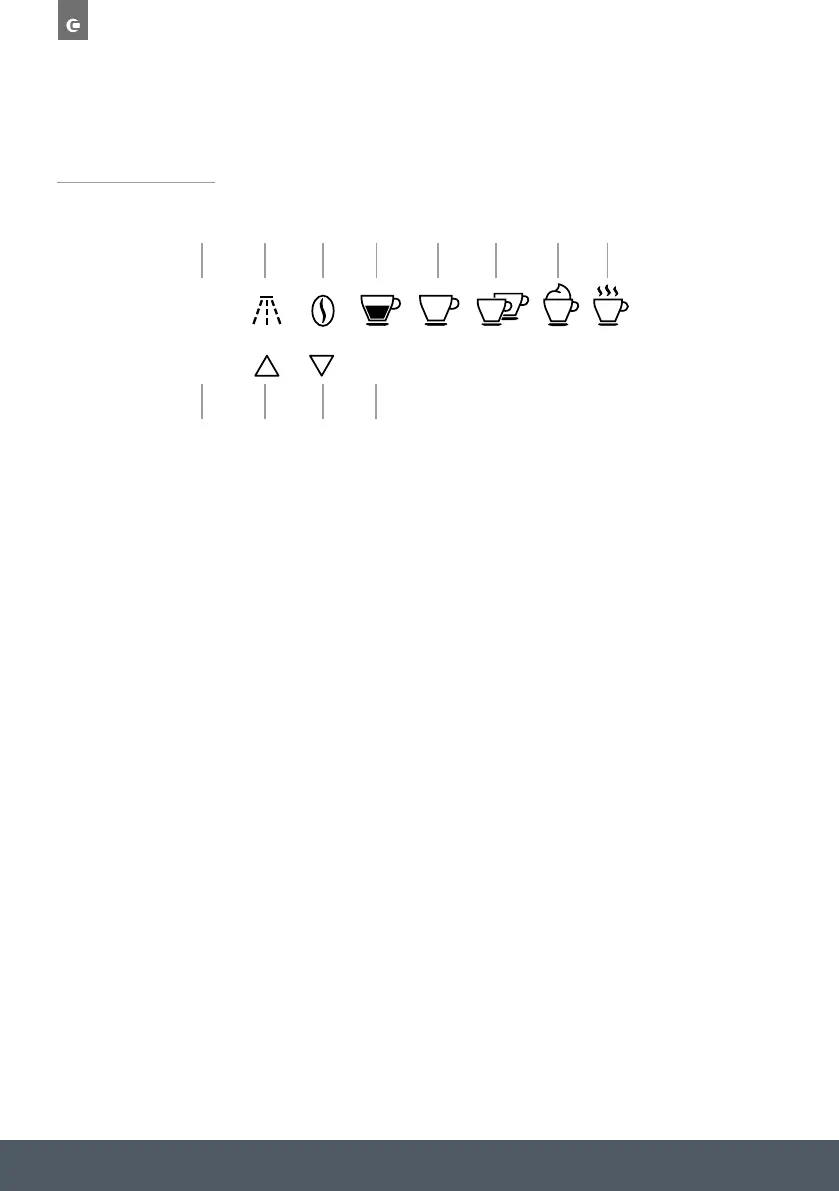
CONTROL PANEL
1. ‘MENU’ to activate or deactivate menu
2. ‘RETURN’ to exit the selected mode
3. ‘Rinse’
4. ‘SCROLL’ to scroll forwards through the menu and display
5. ‘COFFEE STRENGTH’ to select strength or preground
6. ‘SCROLL’ to scroll backwards through the menu and display
7. Touch key to select the type/quantity of coffee (espresso, smallcup,
medium cup, large cup, mug)
8. ‘OK’ to confirm the selected function
9. Touch key ‘One cup of coffee’
10. Touch key ‘Two cups of coffee’
11. Touch key ‘Cappuccino’
12. Touch key ‘Hot water deliver’
1
2
3
4
5
6
7
8
9 10 11 12



 To Next Page