Please keep this instruction manual for future reference Instruction manual DD780BK 33
SWITCHING THE BRIDGE ZONE ON
Press the front left and rear left cooking zone selection buttons simultaneously. A static dot will be
shown on the left heater display. The other displays will show ‘b’ and ‘r’ and the blinking dots will
no longer be displayed.
Select the temperature required by using the increase power setting button or decrease power
setting button . The bridge zone will be ready to use. For the fastest boil time, select the desired
power level, then press the “P” key to activate the Boost function.
SWITCHING THE BRIDGE ZONE OFF
To select the Bridge element, press the rear left or front left cooking zone selection button and
using the
button, turn the level down to “0”. Alternatively, pressing the and keys
simultaneously will change the level to “0”. If the bridge cooking zone is hot, “H” will
be displayed.
SMART PAUSE
Smart Pause, when activated, reduces the power of all cooking zones that have been switched on.
If you then deactivate the Smart Pause, the zones will automatically return to the previous
power level.
If the Smart Pause is not de-activated, the hob will switch off after 30 minutes.
Press “II” to activate Smart Pause. The power for the activated heater(s) will reduce to level 1 and
“II” will appear at all displays.
Press “II” again to deactivate Smart Pause. “II” will disappear and the heaters will now run at the
level previously set.
AUTOMATIC SAFETY SHUT-OFF FUNCTION
A cooking zone will automatically switch off if the power setting has not been modified for a
specified duration of time. A change in the power setting of the cooking zone will reset the time
duration to the initial value. This initial value depends on the selected power level, as
shown below.
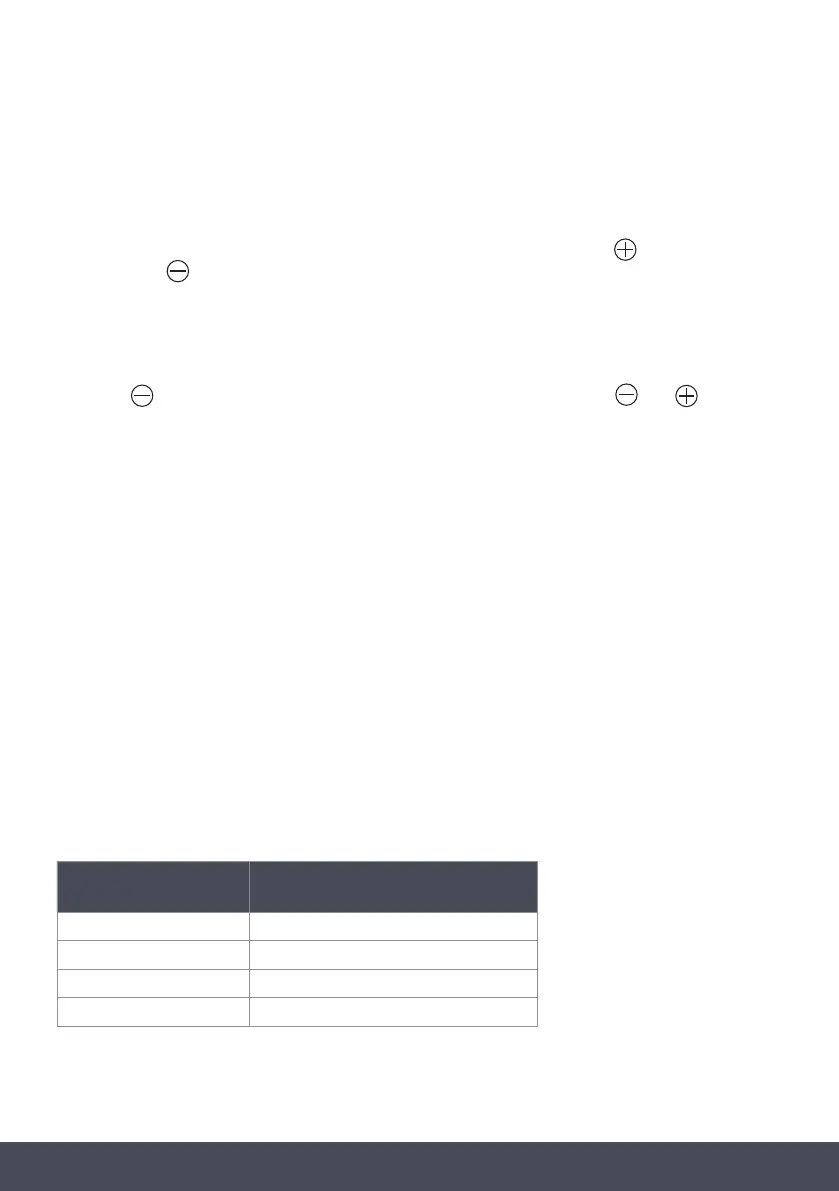
POWER SETTINGS AUTO SAFETY SHUT-OFF AFTER
1-2 6 hours
3-4 5 hours
5 4 hours
6-9 1.5 hours



 To Next Page