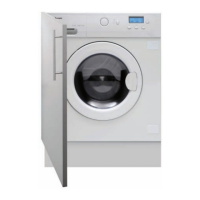
31Instruction manual WDi3301Please keep this instruction manual for future reference
OPENING THE DOOR
A special safety device prevents the door from being opened during a wash cycle. After the wash
cycle has finished the “Door Lock” light will turn off and the door can be opened.
START/PAUSE BUTTON
Close the door
BEFORE selecting the button START/PAUSE.
Press to start the selected cycle.
When the
START/PAUSE button has been pressed, the appliance can take few seconds before it
starts working.
PAUSING THE MACHINE
Press the
START/PAUSE button to pause washing/drying.
Press the
START/PAUSE button again to re-start the programme from the point it had been
paused at.
CANCELLING THE PROGRAMME
To cancel the programme, set the selector to the
ON/OFF position.
DELAY BUTTON
This button allows you to pre-programme the wash cycle to delay the start of the cycle for up to
24 hours.
To delay the start use the following procedure:
› Select the required programme.
› Press the delay start button once to activate it. The pre-set delay increases by 1 hour each
time the button is pressed, until h24 appears on the display, at which point pressing the
button again will reset the delay start to zero.
› Confirm by pressing the
START/PAUSE button.
It is possible to cancel the delay start by pressing the Delay button until 0H appears on the
display. If the programme has already started, press the
ON/OFF button.



 To Next Page