Instruction manual ZC622 ZC922
18
Please keep this instruction manual for future reference
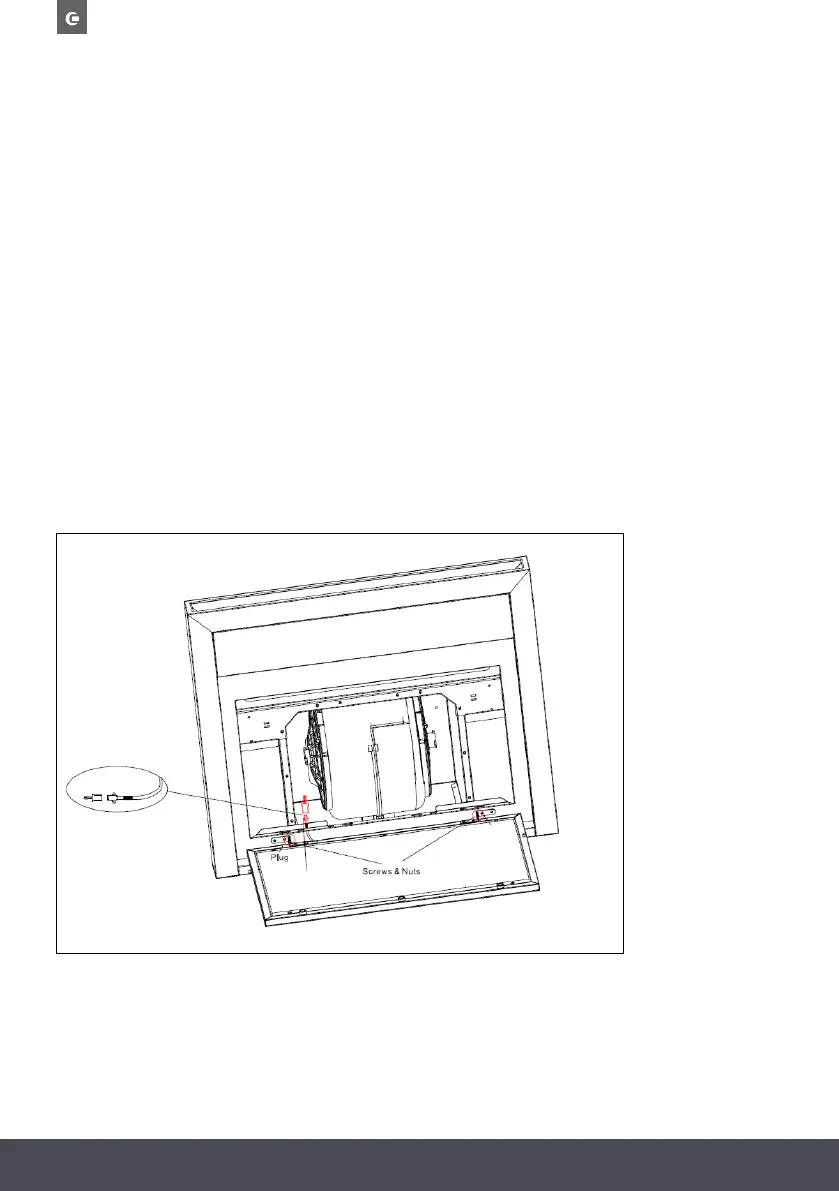
REPLACING THE LED PANEL
NOTE:
The lights must be replaced by a qualified person.
1. Switch the unit off and unplug the appliance.
2. Unplug the LED lamp cable.
3. Unscrew the screws and nuts on the 2 brackets.
4. Replace the LED panel and screw back on to the brackets.
5. Plug the LED lamp cable back in.
NOTE: The LED light panel is for illumination of the cooking area only, and not illuminating the room.


 To Next Page