CONTENTS
Page
Important Safeguards 2
User Components / Drawings (figures) 3-5
1 Product Registration - The C1000 7
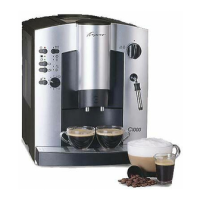
2 Welcome to the Capresso C1000 7
3 A Word About “Crema Coffee” 7
Factoid 1 8
Factoid 2 8
4 Please Do Not... 8
5 Please Do... 8
6 Factory Settings 8-9
7 Preparing the Machine 9
7.1 Filling the Water Tank 9
7.2 Filling the Bean Container 9
7.2a When using oily beans 9
7.3 First Time Preparation 9-10
7.4 Adjusting Coffee Volume 10
7.5 Claris Water Cartridge 10
7.6 Installing the Claris Cartridge 11
8 Making Espresso and “Crema Coffee” 11
8a A Word About Coffee Temperature 11
8b How to Get Hotter Coffee 11
8.1 Turning the Machine ON 12
8.2 Coffee Strength: regular, strong, extra strong 12
8.3 Adjusting the Grinder 12
8.4 Using Ground Coffee 12-13
8.5 How to Prevent Clogging 13
9 Processing Hot Water 13
10 Frothing and Steaming 13-14
10.1 Resetting the Machine 14
10.2 Cleaning the Frother 14
11 Automatic Monitoring Controls 14
11.1 Empty Drawer 14-15
11.2 Tray and Drawer Missing 15
11.3 Fill Water 15
12 Changing the Factory Settings 15
12.1 Adjusting On/Off and Auto-Off 15
12.2 Adjusting the Grinder 15
12.3 Adjusting the Water Hardness Setting 15-16
13 General Cleaning Instructions 16
13a. Special Cleaning of the Inner Screen 16
13.1 CLEARing the Machine 16
14 Automatic Rinsing Cycles 16-17
14.1 Rinsing 17
14.2 Cleaning with Special Tablet 17
14.3 Decalcifying 17-19
15 Troubleshooting 19-20
15.1 Display Messages 19-20
15.2 Other Problems 20
6




 To Next Page