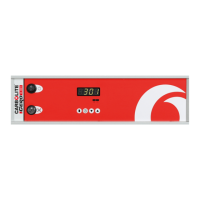
201 Controller
OVERTEMPERATURE OPTION
This is only fitted when the overtemperature option is ordered. To identify whether it is fitted,
observe the controller panel: if it is fitted the overtemperature key and warning light are present.
The overtemperature key must be held depressed continuously while viewing or adjusting the
overtemperature controller. If the Overtemperature key is released, the display reverts to the
main controller.
With the key pressed the overtemperature setpoint is normally displayed. To alter the value, use
Down and Up. To view the measured temperature, press Scroll until
PV (process variable) is
displayed, then press Down or Up. Keep the overtemperature key depressed during these
operations.
When an overtemperature condition is reached, the overtemperature warning light changes from
green to flashing red. To “accept” or “reset” this alarm condition, press the Overtemperature key
and the Page key together; the warning light changes to continuous red. Once the over-
temperature condition is cleared (by the temperature falling), the light changes to green and
normal operation resumes.
4
ALTERING THE POWER LIMIT
4.1 Overview
Depending on the furnace or oven model the power limit parameter
OP.Hi (Output High) may be
accessible or hidden.
For silicon carbide heated furnaces the parameter is accessible to allow for compensation for
element ageing (see the appropriate section in the furnace manual). In wire-heated chamber or
tube furnaces, reducing the power limit is a convenient method of improving control at low
temperatures, as outlined below.
The power limit may be set to zero to permit demonstration of the controls without heating.
In many models the power limit setting depends on the supply voltage; usually the furnace or
oven manual contains details: if in doubt, contact Carbolite for advice.
The power limit parameter does not apply to the overtemperature controller, if present.
4.2
Altering the value
Press Page until
oP (output list) is displayed. Press Scroll 4 until OP.Hi (Output High) is
displayed. Press Down T or Up S once to display the value of
OP.Hi and write down the value.
To alter the value, use Down T or Up S. Note that setting the value to zero prevents the furnace
or oven from heating.
Caution: Do not increase the power limit value to a value above the design level for the oven or
furnace model, or to a value above that correctly calculated for Silicon Carbide elements. The
heating elements could burn out, or other damage could be caused.
4.3
Control at Low Temperatures
If a product is to be used at temperatures much lower than its design maximum, control stability
can often be improved by reducing the power limit. Remember to make a record of the original
setting before altering the power limit.
Example: It is desired to run a 1200°C furnace at 300°C. The normal control settings can be
expected to cause excessive overshoot as the furnace reaches temperature. If the power limit
OP.Hi is normally set to 100%, try a setting of 40%. This should greatly reduce the overshoot.
(There is no firm calculation rule to get this example setting of 40% – experiment may be
required to achieve a good result. Avoid power limits below about 30% – control accuracy falls
off at such levels.)
5
MC07 5



 To Next Page
 Loading...