EasyManua.ls Logo

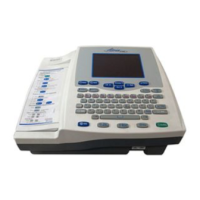
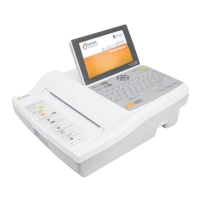
Cardiac Science Burdick 8300 - Service Manual

Cardiac Science Burdick 8300
47 pages
Print Icon
To Next Page IconTo Next Page
Loading...
BURDICK 8300 AND BURDICK 8500
SERVICE MANUAL
70-00844-02 B

Other manuals for Cardiac Science Burdick 8300

Questions and Answers

  • J
    Joshua ThomasAug 16, 2025
    How to fix artifacts or noise on ECG trace with Cardiac Science Burdick 8300?
    • M
      Megan PrattAug 16, 2025
      To minimize artifacts or noise on the ECG trace, try the following: * Prevent unnecessary patient movement. * Make sure all leads are clean, secure, and properly placed. * Ensure the skin is properly prepared and unbroken. * Verify all cables are securely connected. * Inspect cables for any damage like nicks, cuts, wear, or bulging. * Position the ECG device as far away as possible from other electronic equipment.
  • B
    Brian DukeAug 19, 2025
    What to do if the AC power indicator is off on Cardiac Science Burdick 8300 Medical Equipment?
    • R
      Robert HudsonSep 12, 2025
      If the AC power indicator (green LED on the back panel) is off, follow these steps: 1. Ensure both ends of the power cord are securely connected. 2. Check that the green LED on the external power supply is on. 3. Disconnect the ECG device from the external power supply to see if the external power supply LED turns on. 4. Confirm the power outlet is working. 5. Try replacing the power cord. 6. If the issue persists, replace the external power supply. 7. As a last resort, replace the power supply board.
  • B
    Brianna HolmesAug 22, 2025
    Why Cardiac Science Medical Equipment won't operate when disconnected from AC power?
    • J
      jonesrobertAug 22, 2025
      If your ECG device doesn't operate when disconnected from AC power or only operates briefly, consider these solutions: * Make sure the green LED on the external power supply is lit. * Verify the green power LED on the back panel is lit when charging the battery. * Confirm the battery is installed and the battery cable is securely connected. * Ensure the battery has been charged for at least four hours. * If the ECG device hasn't been used for several months, the battery might be fully discharged. Disconnect AC power and try charging the battery again.
  • T
    Timothy WilliamsAug 25, 2025
    What to do if Cardiac Science Burdick 8300 Medical Equipment unexpectedly reboots?
    • L
      Lindsey BrownAug 26, 2025
      If your ECG device unexpectedly reboots, try the following: * Ensure a battery is installed and check the green power LED on the back panel to verify AC power is available. * Adjust the brightness using Shift + Next or Shift + Previous. * Power off by pressing and holding the On/Standby key for 8 seconds, then restart the ECG device. * Make sure the keyboard cable and the display cable are securely connected. * If the problem continues, replace the top cover assembly, the power supply board, or the mainboard.
  • C
    Caitlin TaylorAug 28, 2025
    How to resolve 'Message Waiting for Data' on Cardiac Science Burdick 8300 Medical Equipment?
    • A
      amydelacruzAug 28, 2025
      If you see a 'Message Waiting for Data' displayed, here’s what you can do: * Check the screen for a lead fail indication and fix that lead. * Inspect all the ECG leads. * Troubleshoot for noise, referring to the steps for 'Artifacts or noise on ECG trace'.
  • V
    vrossAug 31, 2025
    How to fix paper feed issue on Cardiac Science Burdick 8300 Medical Equipment?
    • V
      Veronica RayAug 31, 2025
      If the paper does not feed, try these steps: 1. Select Setup. 2. Use the arrow keys (Next and Previous) to scroll to Service Functions and then press Select twice. 3. Select Printer Test Sequence. 4. Verify that the paper type in System Settings matches the installed paper. 5. Ensure you are using Burdick paper (Assurance® or Heartline™). 6. Check the paper door gear for damage and ensure the paper door is properly seated. 7. Remove and reinstall the paper, following the User’s Guide instructions. 8. Clean the queue sensor.
  • C
    caitlin70Sep 3, 2025
    How to resolve communications errors on Cardiac Science Medical Equipment?
    • A
      Allen MoralesSep 3, 2025
      To resolve communication errors, follow these steps: * Ensure the serial, phone, network, or USB cables are securely connected to the correct jack. * Check the communication settings. * For network problems, consult with the network administrator to ensure the destination is available. * Select Setup. * Use the arrow keys (Next and Previous) to scroll to Service Functions and then press Select twice. * Select Get IP Address.
  • S
    stevenmartinSep 6, 2025
    What to do if there is no display on Cardiac Science Medical Equipment?
    • T
      Timothy GouldSep 6, 2025
      If there is no display, try the following: * Select Setup. * Use the arrow keys (Next and Previous) to scroll to Service Functions and then press Select twice. * Select Keyboard Test to verify keyboard operation. * If the On/Standby key doesn't work, make sure the battery is installed and check the green power LED on the back panel to verify AC power is available. * Restart the ECG device. * Clean the outside surface keyboard with isopropyl alcohol.
  • B
    Brent ClarkSep 9, 2025
    How to fix inconsistent date and time on Cardiac Science Burdick 8300?
    • Y
      ymillerSep 9, 2025
      To correct an inconsistent date and time, try replacing the 3V button cell on the mainboard. If that doesn't work, replace the mainboard assembly.
  • R
    Raymond PatrickSep 12, 2025
    What to do if additional patients cannot be added to the patient directory on Cardiac Science Burdick 8300 Medical Equipment?
    • H
      hawkinskathySep 12, 2025
      If you cannot add more patients to the directory, try printing or sending old records.

Summary

General Information

About the Burdick electrocardiographs

Describes the Burdick electrocardiograph's features like thermal printer, ECG interpretation, and network connectivity.

System Description

Outlines the main subsystems of the Burdick ECG device, including mainboard, power supply, paper drive, and top cover assembly.

Service and Maintenance

When to Perform Service Procedures

Details when to perform functional checkout, electrical leakage tests, and queue sensor calibration.

Functional Checkout

Procedure to verify normal operation before returning the ECG device to the user.

Calibration Pulse Check Procedure

Procedure to test system sensitivity by applying a calibration pulse annually.

Electrical Leakage Current Tests

Tests to verify ECG device electrical safety after repair or to check for damage.

Queue Sensor Calibration

Procedure to measure and record queue sensor voltages for proper paper feeding.

Troubleshooting

Preliminary Checks

Initial checks to perform before using the troubleshooting chart.

Troubleshooting Chart

A table providing solutions for common problems encountered with the ECG device.

Component Replacement

Parts List

Lists components with their descriptions and locations.

Component Replacement Procedures

Instructions for removing, ordering, and replacing ECG device sub-assemblies.

Disassembly Procedures

Procedures for removing specific ECG device components.

Cardiac Science Burdick 8300 Specifications

General IconGeneral
BrandCardiac Science
ModelBurdick 8300
CategoryMedical Equipment
LanguageEnglish

Related product manuals