13
ENG
mpxone +0300086EN rel. 2.2 - 13.11.2023
Installation
Caution:
IP65 front protection is guaranteed only if the following conditions are met:
• maximum deviation of the rectangular opening from flat surface: ≤ 0.5 mm;
• thickness of the electrical panel sheet metal: 0.8-2 mm;
• maximum roughness of the surface where the gasket is applied: ≤ 120 μm.
Notice: the thickness of the sheet metal (or material) used to make the electrical panel must be adequate to ensure safe and
stable mounting of the product..
2.2.4 Removal
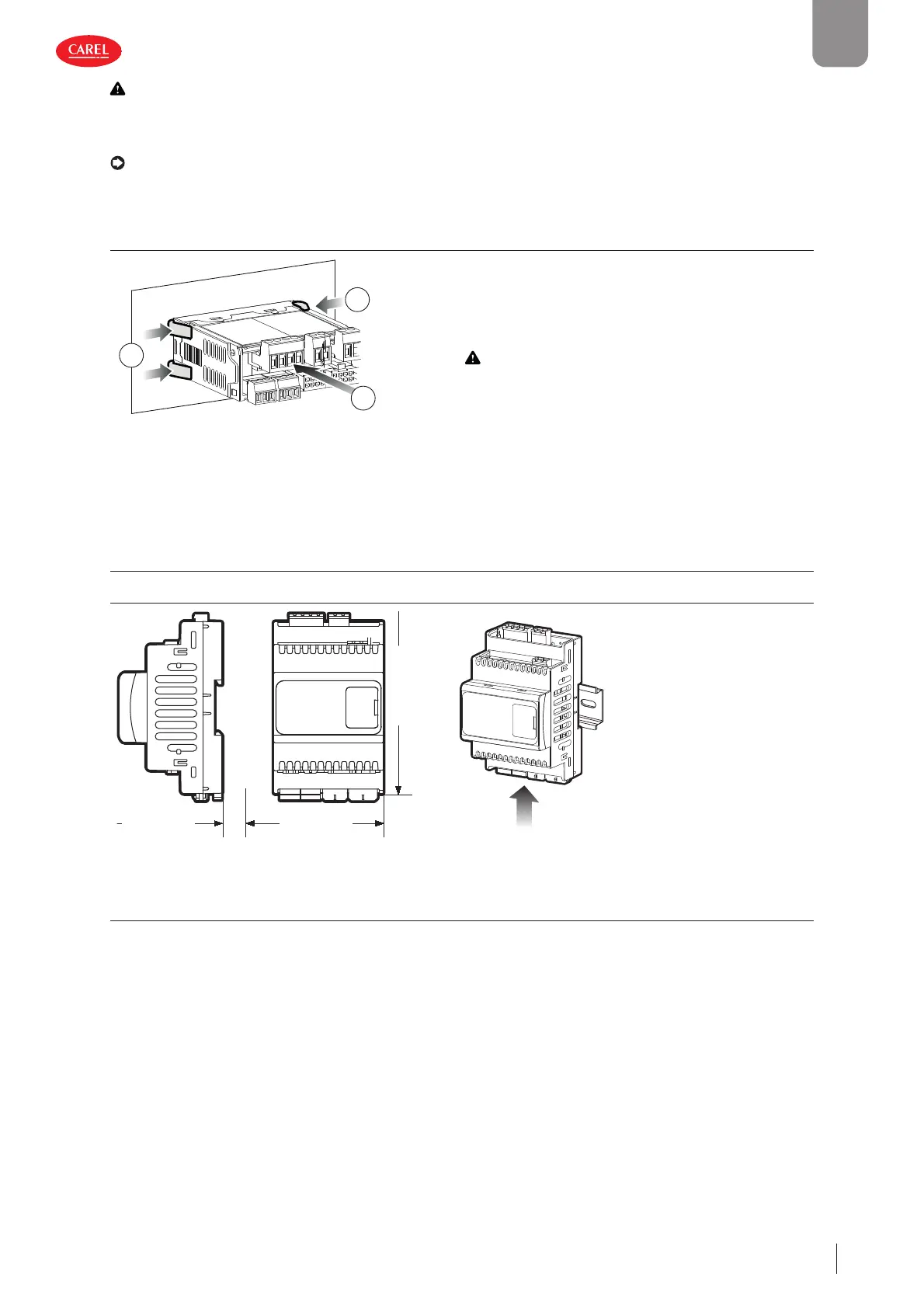
300053_004_R01
2
1
1
Open the electrical panel and from the rear:
1. gently press the side anchoring tabs on the controller;
2. exert slight pressure on the controller until it is removed.
Caution:
the operation does not require the use of a
screwdriver or other tools.
Fig. 2.d
2.3 DIN rail version
2.3.1 Dimensions - mm (in)
300086_010_R01
66.2 (2.61)
110.9 (4.37)
70.4 (2.77)
300086_009_R01
Assembly
Apply slight pressure to
the controller resting on
the DIN rail until the rear
tab clicks into place.
Fig. 2.e
2.3.2 Removal
Use a screwdriver as a lever in the hole to lift and release the tab. The tab is held in the locked position by return springs.











 To Next Page