16
ENG
mpxone +0300086EN rel. 2.2 - 13.11.2023
Installation
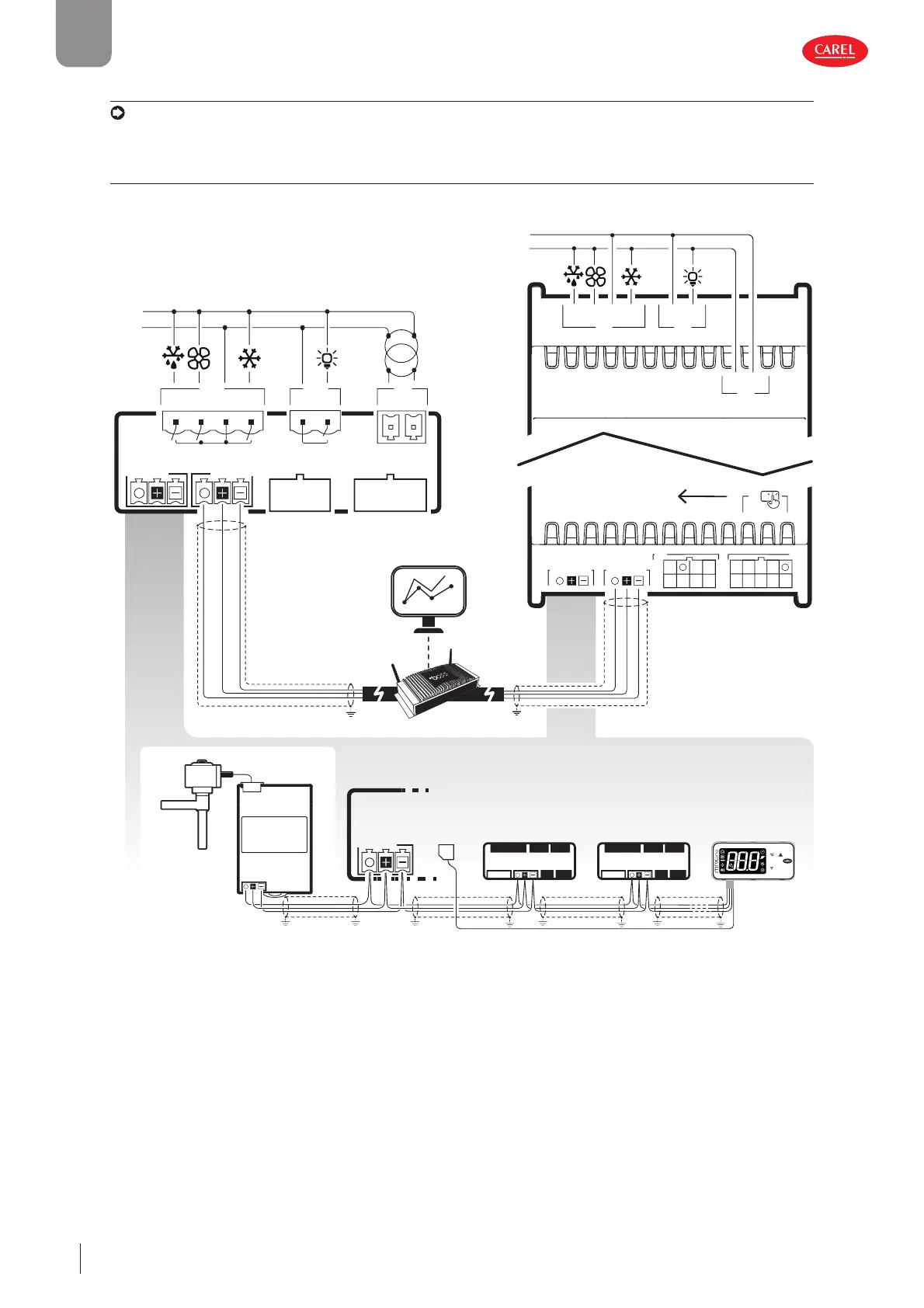
2.6 Connection diagrams
Notice: the “APPLICA” app can be used to change the confi guration of the probes without needing to rewire or change the
functions of the relays, thus taking advantage of diff erent capacities when needed.
2.6.1 Panel and DIN rail model
Panel DIN rail
L
N
to user terminal
up to 9 secondary for Medium and Advanced models,
up to 5 secondary only for Basic model
J5 FBus
J5
J4
J3
J7
J1
J6
J2
(*): connection to external ExV driver only for medium models
Main
Remote display
Secondary 1
J5
J4
J3
J7
J1
J6
J2
Secondary 2
shield
shield
ExV driver
VL
shield
J7
J6
C
NO1
NO2
C
NO3
NO4
J1
G0 G
115-230 VAC 50/60 Hz
J8
J4 BMS
J3 J2
J5 FBus
S1 S3 5V
S2Y2
Y1ID1
ID2
ID3ID5
ID4S4
S6 +V
VL S5
Only “Main units” to be
connected on RS485
J1J7
NO4C
G0 G
J6
NO2 NO3CNO1
L
N
24V AC/DC
SELV CLASS 2
J5 FBus
J4 BMS
J3
J2
shield
Fig. 2.n











 To Next Page