pAD +030220873 - rel. 1.2 18.01.2013
24
2. USER INTERFACE
2.1 Display
Indications display
key
1 Cooling
2 Heating
3 Auto
4 Dehumidify
5 Humidify
6 Fan speed
7 Unit of measure
8 Temp./humid./set (*)
9 Day of the week
10 Tim/temp./humid./set (*)
11 ON/OFF time band
12 Time band/sleep duration
13 Lock
14 Active alarm
(*) depends on the configuration set by the controller application
program.
2.2 Standard user interface
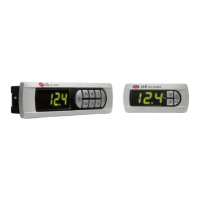
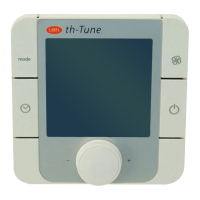
The following figure and table illustrate the fundamental operations
performed by the buttons on the device in the standard configuration.
The functions of buttons KEY1 to KEY6 depend on the configuration
set by the controller application program.
Icon
Name
(standard)
Function
1
KEY 1
(POWER)
Switch the system on or to standby.
2
mod
e
KEY 2
(MODE)
Set the operating mode (cooling,
heating, auto, manual dehumidify,
manual humidify)
3 KEY 3 (HUM
2
) Set the humidity set point
4
KEY 4
(NIGHT)
Activate /deactivate night economy
mode
5
KEY 5
(CLOCK
1
) Activate/deactivate the time bands
6 KEY 6 (TEMP)
Temporarily display alternative
information
7.
8 ↑,↓
UP, DOWN
Set the temperature set point
1
Sets the time is thus has yet to be set (only available if the optional
clock is fitted).
2
Only available if the optional humidity probe is fitted (versions
ADPC*, ADPG*, ADPH*).
2.3 Main alternative functions of the
buttons
Button Press for… Function
3 seconds
Set the differential in night mode for the
current operating mode
3 seconds
Set the time bands (time, day, set point, in
standard mode)
5 seconds Set the clock



 To Next Page