9
powerSplit manual - cod. +030220320 rel. 1.1 - 09/12/02
Tasto “7” (LED giallo)
Funzionamento nor
male
• Premuto per 5 sec attiva uno sbrinamento manuale, se presenti le
condizioni.
Modifca par
ametri
• Passa da un parametro al precedente.
• Diminuisce il valore associato al parametro visualizzato.
LED
• Acceso fisso - Sbrinamento in funzione
• Lampeggiante continuo - sbrinamento pendente.
Tasto “8” (LED rosso)
Funzionamento nor
male
• Tacita allarme acustico, se attivo.
• Premuto per 1 sec. visualizza e/o imposta il set point
• Premuto per più di 5 sec, non in presenza di allarme, dà accesso
al menù dei parametri di tipo F (frequenti)
• Premuto all’accensione del controllo assieme al tasto 7 esegue il
reset dei parametri (ripristino parametri di default)
Modifica par
ametri
• Visualizza il valore del parametro selezionato/esce dalla visualizzazione.
• Premuto per 5 sec esegue la memorizzazione permanente delle
modifiche.
LED
• acceso fisso - allarme attivo.
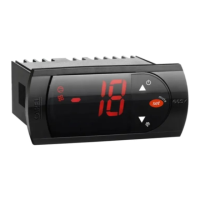
2.3.2 Elenco funzioni Tasti e Led Terminale PJ Small
Sono presenti solo tre tasti e tre LED degli otto sopra
elencati: 6, 7 e 8.
Le funzioni per la modifica parametri sono le stesse già
descritte sopra per il terminale LARGE; per la regolazione
sono previste le funzioni di Ciclo Continuo, Defrost ON-OFF
luce e tacitazione allarmi:
Tasto “6” (LED verde)
Funzionamento nor
male
• ON/OFF luce dopo 1 sec. di pressione.
• Premuto assieme al tasto 7 per 5 secondi attiva il ciclo continuo
LED
• acceso fisso - Compressore in funzione
• Lampeggiante continuo - richiesta di attivazione compressore
(richiesta freddo)
Tasto “7” (LED giallo)
Funzionamento nor
male
• Premuto per 5 sec attiva uno sbrinamento manuale, se presenti le
condizioni.
LED
• acceso fisso - Sbrinamento in funzione
• Lampeggiante continuo - sbrinamento pendente.
Tasto “8” (LED rosso)
Funzionamento nor
male
• Tacita allarme acustico, se previsto.
LED
• acceso fisso - attivo allarme.
Non sono disponibili le seguenti funzioni su tasto:
• HACCP: il reset è possibile solo con accesso ai parametri
• AUX2: il comando dell' uscita non è previsto da tastiera (solo
mediante supervisore)
• ON/OFF: il comando dello stato ON/OFF non è previsto (sempre ON).
Button “7” (yellow LED)
Nor
mal operation
• Pressed for 5 seconds, starts a manual defrost if the conditions are
present.
P
arameter modification
• Moves from one parameter to the previous.
• Decreases the value of the parameter displayed.
LED
• On steady - Defrost on
• Continuous flashing - Defrost progress.
Button “8” (red LED)
Nor
mal operation
• Silences the audible alarm, if active
• Pressed for 1 second displays and/or sets the set point.
• Pressed for more than 5 seconds, and no alarm is active, accesses
the menu the type F parameters (frequent).
• Pressed together with the 7 button when the controller is turned on,
resets the parameters (reset default parameters).
P
arameter modification
• Displays the value of the selected parameter /exits the display.
• Pressed for 5 seconds, saves the modifications.
LED
• On steady - Alarm active.
2.3.2 List of function buttons and LEDs on the PJ Small terminal
There are only three buttons and three LEDs of the eight listed
above: 6,7 and 8.
The functions for modifying the parameters are the same as
described above for the LARGE terminal; the controller features
the Continuous cycle, Defrost On-Off functions and the silencing
of the alarms:
Button “6” (green LED)
Nor
mal operation
• Light ON/OFF after pressing for 1 sec.
• Pressed together with the 7 button for 5 sec. start continuous cycle
LED
• On steady - Compressor on
• Continuous flashing - compressor activation request (cooling request)
Button “7” (yellow LED)
Nor
mal operation
• Pressed for 5 seconds, starts a manual defrost, if the conditions are
present.
LED
• On steady - Defrost on
• Continuous flashing - defrost in progress.
Button “8” (red LED)
Nor
mal operation
• Silences the audible alarm, if featured.
LED
• On steady - Alarm active.
The following functions are not available using the buttons:
• HACCP: alarm reset only by accessing the parameters
• AUX2: he output is not controlled from the keypad (only via the
supervisor)
• ON/OFF: the ON/OFF status is not available (always ON).


 To Next Page
 Loading...