19
powerSplit manual - cod. +030220320 rel. 1.1 - 09/12/02
4.1.4 Modifica dei parametri di tipo C
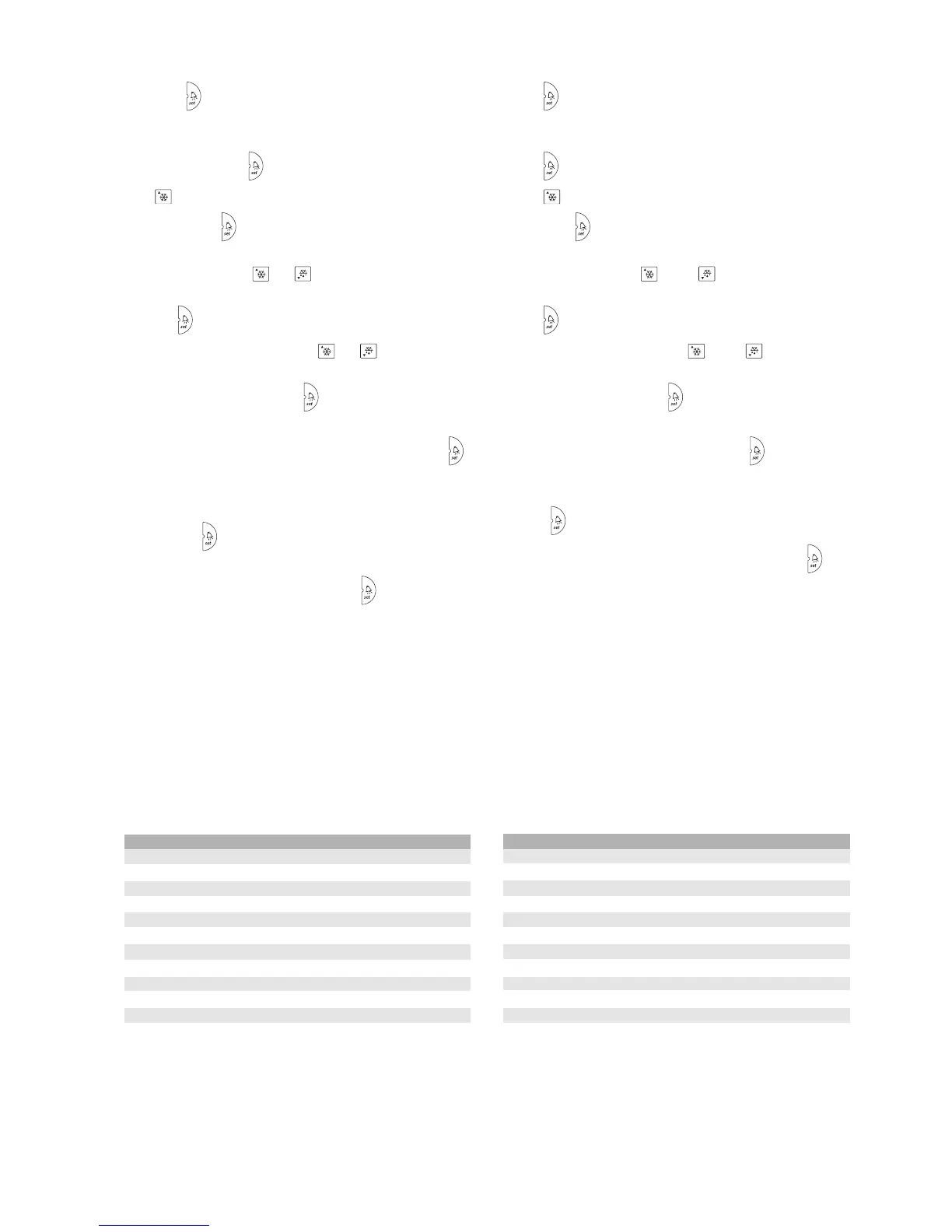
• premendo per 5 sec. (in caso d’allarme, tacitare prima il buzzer,
se previsto) a display compare il codice del primo parametro
modificabile (PS);
• premendo nuovamente compare 00;
• con impostare 22 (password);
• confermando con , compare il codice del primo parametro
modificabile (si vedono tutti i parametri "F" e "C")
• scorrere i parametri con e/o fino a raggiungere il parametro
di cui si vuole modificare il valore;
• premere per visualizzarne il valore associato;
• incrementare o diminuire il valore con e/o fino a
raggiungere il valore desiderato;
• confermare temporaneamente con ;
• ripetere le operazioni per gli altri parametri da modificare;
• per memorizzare definitivamente le modifiche apportate premere
per 5 sec.
AVVERTENZA importante: durante la procedura di modifica parametri
solo premendo per 5 secondi si passa dalla memorizzazione
temporanea delle modifiche a quella definitiva. Se, quindi, viene tolta
tensione allo strumento prima della pressione di TUTTE le
modifiche realizzate e temporaneamente memorizzate vengono perse.
Per la completa memorizzazione è inoltre necessario che il controllo
rimanga alimentato per altri 60 secondi.
4.1.5 Uscita dalla procedura senza modifica dei parametri:
• Per uscire dalla procedura senza modificare i parametri non premere
nessun tasto per almeno 60 secondi (uscita per TIMEOUT).
In questo modo lo strumento ritorna al funzionamento normale.
4.2 / = parametri relativi alla gestione delle sonde di
temperatura
/PARAMETRI Tipo Min Max U.M. Def.
/2 Stabilità misura C 1 15 - 4
/4 Sonda virtuale C 0 100 - 0
/7 configurazione visualizzatore C 0 4 - 0
/t configurazione terminale C 0 4 - 4
/5 Selezione °C o °F C 0 1 - 0
/6 Punto decimale C 0 1 - 0
/8 calibrazione sonda 3 C 0 ±19.9 ˚C/˚F 0
/9 defrost con sonda 3 C 0 1 - 0
/A esistenza sonde S2 ed S3 C 0 3 - 2
/C calibrazione sonda 1 C 0 ±19.9 ˚C/˚F 0
/d calibrazione sonda 2 C 0 ±19.9 ˚C/˚F 0
4.1.4 Modifying type C parameters
• press for 5 seconds (in the event of an alarm, first mute the
buzzer, if featured) to display the code of the first modifiable
parameter (PS);
• press again, 00 is displayed;
• press to set 22 (password);
• confirm with , the code of the first modifiable parameter is
displayed (see the "F" and "C" parameters)
• scroll the parameters with and/or until reaching the
parameter to be modified;
• press to display the associated value;
• increase or decrease the value with and/or until reaching
the desired value;
• temporarily confirm by pressing ;
• repeat the operations for the other parameters to be modified;
• to definitively save the modifications made press for 5 seconds.
Important warning: during the parameter modification procedure only
pressing for 5 seconds will definitively save the modifications.
Consequently, if the instrument is switched off before pressing ALL
the modifications made and temporarily saved will be lost.
To definitively save the changes the controller must be powered for a
further 60 seconds.
4.1.5 Exiting the procedure without saving the changes:
• To exit the procedure without saving the changes to the parameters,
do not press any button for at least 60 seconds (exit by timeout).
In this way the instrument returns to normal operation.
4.2 / = temperature probe management parameters
/PARAMETERS Type Min Max UOM Def.
/2 Measurement stability C 1 15 - 4
/4 Virtual probe C 0 100 - 0
/7 display configuration C 0 4 - 0
/t terminal configuration C 0 4 - 4
/5 °C or °F selection C 0 1 - 0
/6 Decimal point C 0 1 - 0
/8 probe 3 calibration C 0 ±19.9 ˚C/˚F 0
/9 defrost with probe 3 C 0 1 - 0
/A existence of probes S2 and S3 C 0 3 - 2
/C probe 1 calibration C 0 ±19.9 ˚C/˚F 0
/d probe 2 calibration C 0 ±19.9 ˚C/˚F 0


 To Next Page
 Loading...