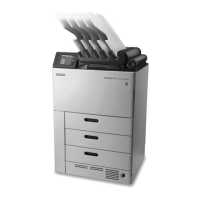
Location Requirements
Important:
Place the DRYVIEW Laser Imager in an area with good ventilation. A small, conned room is
not recommended.
Avoid placing the DRYVIEW Laser Imager in direct or excessive sunlight (for example, near a
large window), or in an environment with dust, dirt, or airborne chemicals.
Temperature
Recommended temperature: mid-range within the operating environment: 15–33 °C
(59–91 °F).
Relative Humidity
Recommended relative humidity: mid-range within the operating environment: 20–
80 % RH, non-condensing.
Operating Space Requirements
• The DRYVIEW 6950 Laser Imager requires a at, level oor space and at least 61 cm
(24 in.) around the top, sides, and back.
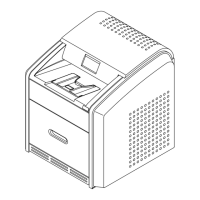
• The DRYVIEW 5950 Laser Imager and DRYVIEW 5700 Laser Imager require a at,
stable surface (stand or table) that supports the dimensions and weight of the
imager. The surface must extend beyond the imager dimensions by at least 31 cm
(12 in.). In addition, there must be space in front of the imager to allow access in
the event of a service call.
• Recommended surface height for the DRYVIEW 5950 Laser Imager and DRYVIEW
5700 Laser Imager is 71–76 cm (28–30 in.).
Note:
An optional stand is available for the DRYVIEW 5950 Laser Imager and DRYVIEW 5700 Laser
Imager. Designed at the optimal height and size, the stand provides the proper clearance to
move the imager in the event of a service call. The stand is an orderable accessory.
Contact your Caretsream Sales Representative for additional information.
AN9405
11 2024-03-06


 To Next Page