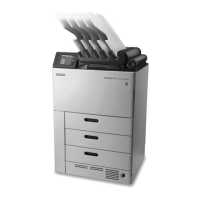
Network Requirements
• The imager receives digital images from medical imaging devices (modalities) over a
10/100/1000 Base-T Ethernet network. During the installation, Carestream personnel
or Biomedical Engineers (in countries where applicable), will enter the network
information for the DRYVIEW Laser Imager to let it communicate across the
network.
• An RJ-45 network plug is required for connecting to the 10/100/1000 Base-T
Ethernet network.
Contact your site’s network administrator for help to gather the network information.
Required Information Record Information from Customer Site
Host (computer) name
IP address
(xxx.xxx.xxx.xxx)
Subnet mask
(xxx.xxx.xxx.xxx)
Default gateway
(xxx.xxx.xxx.xxx)
Primary DNS address
(xxx.xxx.xxx.xxx)
Secondary DNS address (optional)
AN9405
13 2024-03-06


 To Next Page