Need help?
Do you have a question about the Carestream Dryview 6850 and is the answer not in the manual?
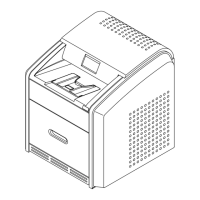
Describes the DRYVIEW 6850 Laser Imaging System as a continuous-tone laser imager.
Details the system's purpose for high-resolution hard copy images from digital sources.
Details the key components of the imager, including drawers, registration, imaging, processor, densitometer, and sorter.
Explains the imaging process from receiving a request to outputting the film, including the print sequence.
Covers printing speed, agency compliance, and conventions used within the user guide.
Explains operator responsibilities, power ON/OFF procedures, and handling power failures or save modes.
Guides users on operating the touch screen, its functions, help resources, and navigation.
Details the installation roadmap, physical setup, imager configuration, and passcode management.
Provides instructions for loading/unloading film cartridges and accessing various imager doors and latches.
Outlines the steps for cleaning the electronics filter and replacing the Preventive Maintenance Module (PMM).
Explains how errors and abnormal conditions are indicated and where to find error history.
Provides guidance for correcting general errors and film jams, both powered ON and OFF.
Offers troubleshooting for a non-responsive touch screen and information needed when calling for technical support.
Covers introduction, adding, and automatic configuration of modalities for optimal image quality.
Details manual configuration for modalities using PLUTs and TFT Sets/Contrast Tables.
Guides on fine-tuning image quality using TFT sets, contrast tables, and performing contrast tests.
Describes film properties, spectral sensitivity, image quality, and environmental impact.
Provides guidelines for storing and handling both undeveloped and developed film.
Details film handling, archiving, exposure to moisture, odor dissipation, heat dissipation, and recycling.
Covers imager dimensions, weight, operating space, and other location considerations.
Specifies ambient conditions like temperature, humidity, altitude, vibration, and levelness for imager operation.
Details power supply needs, network connectivity, and film types, sizes, storage, and throughput.
 General
| Imaging Technology | Laser Imaging |
|---|---|
| Print Technology | Dry Laser |
| DICOM | Yes |
| Power Requirements | 100-240 VAC, 50/60 Hz |
| Grayscale Levels | 4096 |
| Film Sizes | 8 x 10 in, 10 x 12 in, 11 x 14 in, 14 x 17 in |
| Connectivity | DICOM |
| Network Interface | Ethernet |
| Technology | Dry Laser Imaging |
| Film Size | 14 x 17 inches |

 To Next Page