Using and Maintaining the Imager
2010-11-04 2G8647 2-11
Filter Maintenance
There are two filters in the Laser Imager that must be attended to during
the preventive maintenance process.
Cleaning the
Electronics Filter
The electronics filter should be cleaned every six months.
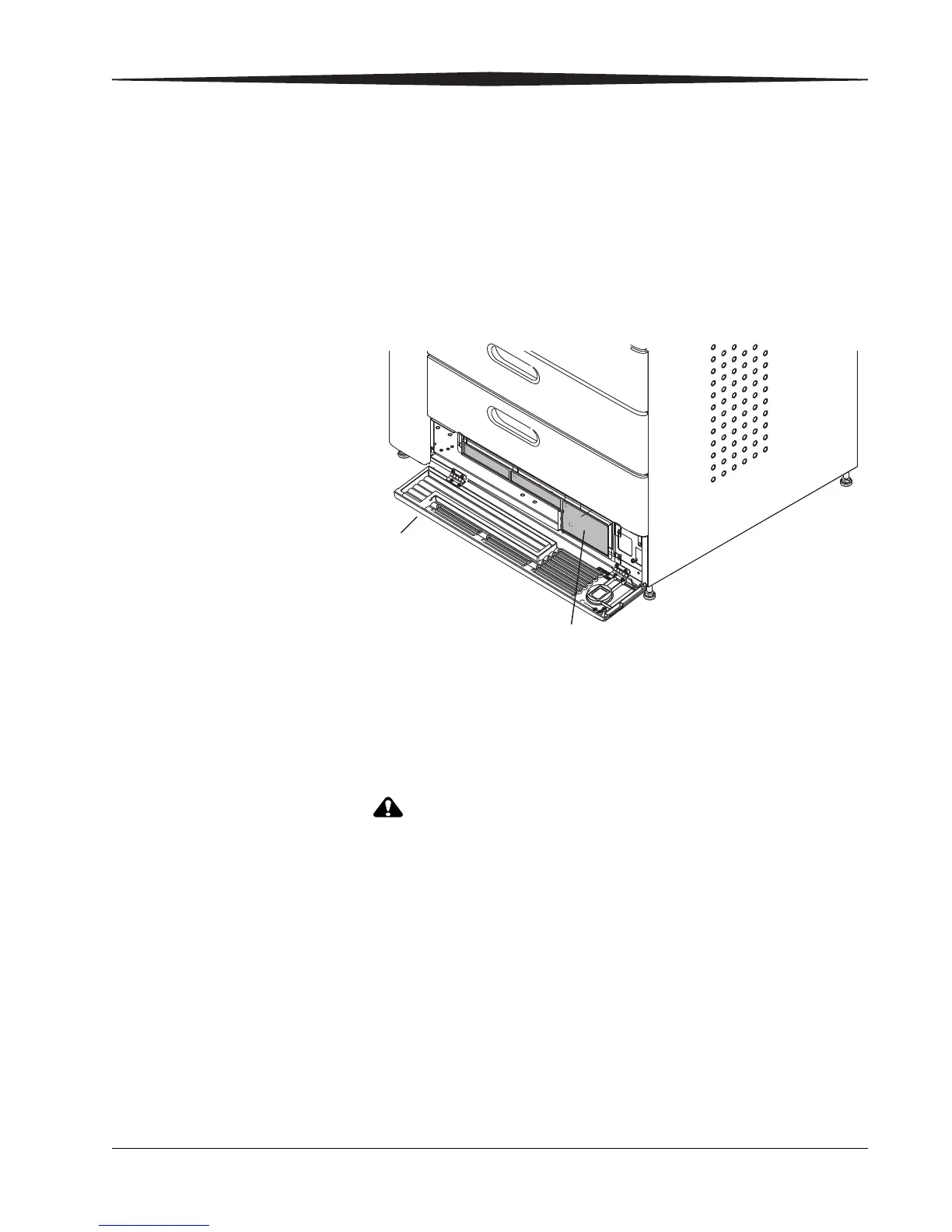
1. Open the air intake (bottom) door.
2. Use a vacuum cleaner to vacuum the filter.
3. Close the air intake door.
Changing the PMM
In the U.S., exhausted PMMs are considered to be
non-hazardous waste according to the U.S. Environmental
Protection Agency Resource Conservation Recovery Act (RCRA).
Municipality owned and licensed solid waste management
facilities are an appropriate disposal option. Contact your local
or state solid waste authorities to determine if additional
disposal requirements apply. In other regions, contact local or
regional solid waste authorities for proper disposal guidance.
Go to the Carestream Health Web site and see the
Environmental Technical Summary document for more
information on PMM End-of-Life Management.
The Preventive Maintenance Module (PMM) must be changed every
20,000 films.
Air
intake
door
Electronics
filter


 To Next Page