2-8 2G8647 2010-11-04
Using and Maintaining the Imager
Loading and Removing the Film Cartridges
The Film Drawer icon on the touch screen displays the number of sheets
left in a film cartridge. When a film cartridge is empty, the appropriate
film drawer icon flashes, and a large zero appears in the drawer icon.
To avoid injury, do not leave the Laser Imager unattended
when the film drawers are open.
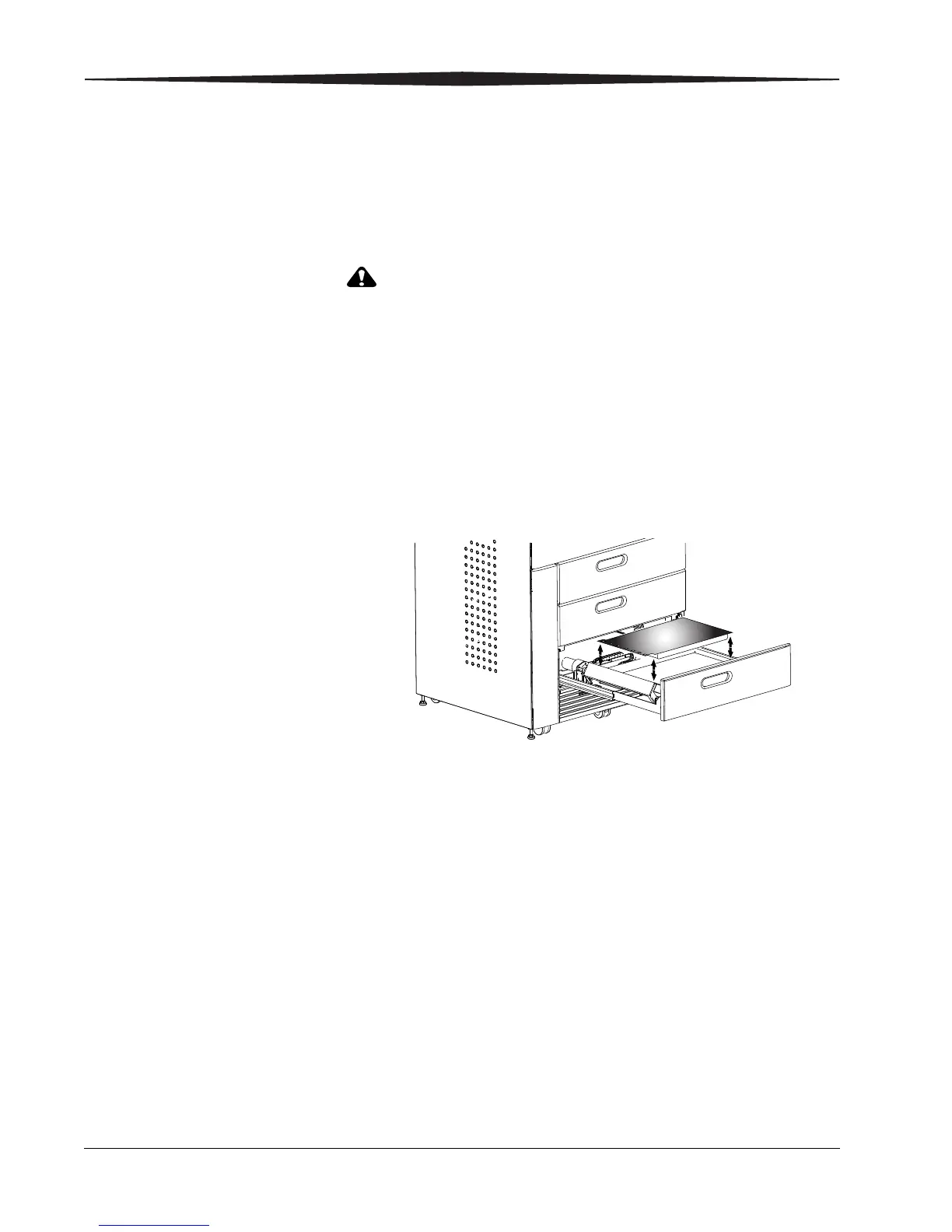
To load or unload a film cartridge:
1. On the touch screen, touch:
a.
Unlock icon
b. Unlock Film Supply
c. OK
2. Pull the drawer out to its furthest extension.
3. To remove a film cartridge, hold the edges of the cartridge and lift
the cartridge out of the drawer.
4. To load a new or different cartridge, insert the cartridge into the film
drawer with the DRYVIEW label up and the perforations to the left.
5. Close the drawer.


 To Next Page